Pages

Showing posts with label business-partners. Show all posts

Thursday, November 3, 2016

IBM Watson Workspace -- Code Talks So Here's The First Samples

View Comments
Time for the next post on IBM Watson Workspace. In this post I wanted to share some code samples that could help you get going in your development of apps for IBM Watson Workspace using the IBM Watson Work Services and APIs.

I know many developers, including myself, learn a lot from code samples (probably more than using actual API documentation). So to build on my post from earlier this week, we have published the first 5 code samples into the Watson Work org in Github and there should be more posted this week and next. My samples are the Twitter and Weather apps. I built these as fully functioning apps that you can deploy to a server and get up and going in a few minutes. And once they are running, feel free to hack away!

To make things simpler, I've also included a one-click button to deploy the app to Bluemix (which I thought was freaking cool how they make this possible). This, however, is not a required step. If you want to use with another cloud provider, by all means. Back to Bluemix, when you click the button, Bluemix pulls down the code from Github and magically gets it up and running.


One cool thing is that even before the samples were available, I already picked up a few blogs of developers using the APIs:
even one creating an Eclipse plug-in that was able to get something going in < 1 hour ( I love hearing those stories):


So quick tour of the Weather app. It uses the Weather Underground APIs to get current conditions based on a US zipcode. I use the node module to convert the zip code to city and state:
const cityState = zipcode.lookup(zc);

With that info, I now call the Weather Underground APIs to get the current conditions:

client.conditions(opts, function(err, data) {

Now with the data that I get back, I build a message to post back to IBM Watson Workspace and put it in the appropriate JSON construct:

const messageData = {
type: "appMessage",
version: 1.0,
annotations: [
{
type: "generic",
version: 1.0,
color: "#D5212B",
title: "Current weather conditions",
text: message
}
]
};

and then call the API to post it back:

request(sendMessageOptions, (err, response, body) => {

So that should give you an idea on how to listen to a conversation, act on it, and then respond back. I followed a similar flow to build the Twitter app and my hope is you can take it and hack it to build your own.  And if you are in the mood to help improve these samples, pull requests are welcome!

Now definitely check out what Redbooth, Rocket, OpenTopic, Sapho and others have done... VERY COOL! (and just to make it more enticing.. Sapho for example has Marketo and Google Adword integration... )


Tuesday, November 1, 2016

Building apps with IBM Watson Work Services

View Comments
Last week we launched IBM Watson Workspace and IBM Watson Work Services and one of the crtical aspects of this launch is the platform and extensibility provided by these offerings.

Miguel Estrada, Joe Russo, and myself had a session at IBM World of Watson 2016 to talk about the capabilities of the platform. To recap, the idea of IBM Watson Work Services is to provide a platform that understands conversations in context. IBM Watson Workspace is a great example of what you can do with that platform since it's, well, built on the platform! In fact, you use the platform services to extend the IBM Watson Workspace app.

As we worked towards the launch, we worked with various partners and developers who were interested in using these APIs. At the conference last week, we were able to show integration with Sapho, OpenTopic, Kenexa, DocuSign, Salesforce, Redbooth, Rocket, and more.

Here are our slides:


Now here's some good news.  I know a lot of developers learn from code samples and I'm happy to announce that our first code samples are now available on Github: http://github.com/watsonwork. Feel free to fork and contribute as well!

When you are ready to start creating apps, head out to https://workspace.ibm.com/developer/apps and you can start getting them registered there. Once you get them registered, go the settings for any space, and in the apps menu you'll be able to see your apps and add them to the space. It'll look something like this (those are 3 sample apps that I've built and will be sharing in the GitHub link above):

I also recorded a quick demo of the developer experience to get you going faster. Check it out here:


Now go on and start building your apps! I can't wait to see what you'll show at IBM Connect 2017. There are 111 days left - GO GO GO!

Tuesday, July 26, 2016

GSX Provides Real-Time Monitoring for IBM Connections

View Comments
IBM Connections allows customer to choose how they want to run and get values from the platform. For example, there are organizations that would choose to run in cloud for a "hands-free" environment. No need to worry about outages, upgrades, etc.

Other organizations would need the flexibility and customizability that an on-premises deployment would provide. For those of you who have decided to run IBM Connections on-premises you might want to check out this partner offering.

GSX for IBM Connections provides a powerful way to monitor critical components of the platform. Some of the capabilities you'll have:

  • Proactive notifications to get instantly alerted based on pre-defined thresholds
  • End-to-end performance monitoring include databases, application servers and more
  • Responsive time of end user experience
  • One real-time dashboard to see at a glance the status of all services and performance metrics


Here's a quick 3 minute demo to give you a better idea of what the solution can do at a glance:


For a more detailed demo, check this 11 minute version out: https://youtu.be/yZv1YBi2g9o . To learn more about GSX, visit http://www.gsx.com/products/gsx-for-ibm-connections . And this is just timely there's an upcoming webinar on September 1st, 2016. Go this link and reserve your seat now.

Tuesday, May 10, 2016

VideoBio Adds Quick Video Sharing to IBM Connections

View Comments
I always like to highlight when developers and partners extend our IBM Connections Cloud platform.
Today I wanted to highlight VideoBio who have built a very nice solution to allow users to quickly share video messages with others.

So how does it work? First, you can go to your profile, or someone else's profile and click on the VideoBio button.


After recording the demo, it's automatically shared with your IBM Connections network and you can optionally choose to share via Facebook, LinkedIn, Twitter and more.!


Check out the demo:


To learn more, go here.

Monday, April 25, 2016

How To Edit Files in Sharepoint or Box with IBM Docs

View Comments
One of the capabilities that we highlighted as part of the IBM Docs 2.0 release was the new set of APIs to allow real-time co-editing of files in repositories other than IBM Connections (e.g. Alfresco, SharePoint, etc).

So first, what is IBM Docs ? The goal of IBM Docs is to make it easier for teams to create and allow for collaborative editing of word processing, spreadsheet and presentation documents in real time. This online editor provides key collaborative services such as coediting, file management and contextual commenting (so you can see who typed what).


At IBM Connect earlier this year, Jim Puckett, product manager for IBM Docs, shared an overview of IBM Docs which you can see here:


With the new set of APIs you can now build collaborative applications. So if you are an ISV looking for a way to embed co-editing, check out IBM Docs. Van Staub first shared how to integrate Docs with any app. Then he took it to the next level and describes how to edit files stored in SharePoint with IBM Docs.

Last week, IBM published a tech note that describes the process to set up IBM Docs to edit files stored in Box. This provides a common editing capabilities for files, irrespective of where they are stored.

Want to learn more ? Come to Social Connections 10 in Toronto in early June! Check out the full agenda that was just announced last week. Register today!

See you there!

Monday, March 21, 2016

TimeToAct Brings Custom Apps and Forms to IBM Connections

View Comments
TimeToAct recently announced new capabilities for IBM Connections Communities as part of their XCC Social Intranet solution.

If you are not familiar with XCC, it's a lightweight Web Content Management System that integrates into IBM Connections. It enhances IBM Connections with classic Web Content Management capabilities and thus integrates the two antipodes of an intranet, i.e. peer-to-peer collaboration with internal (top-down) communications.


For example, you can use the Atom/RSS Feed App, Clipping App, HTML App, and now the Forms Builder App. This app allows business users to quickly build simple apps to collect and report on information without having to code anything.

What's cool about this is that it opens up the possibilities for everyone in the organization to create simple apps. This in turn drives engagement and adoption which accelerates ROI.

In the video below, you'll see how easy you can build Forms to build an HR form to submit open positions or apply to open positions. The video also shows an example of building a media gallery (for example to have users post classifieds).


To learn more, visit http://connections-apps.com/product/xcc-web-content-custom-apps-for-ibm-connections/#contact 

Tuesday, March 15, 2016

Webinar: Addressing the Crisis in Employee Engagement

View Comments
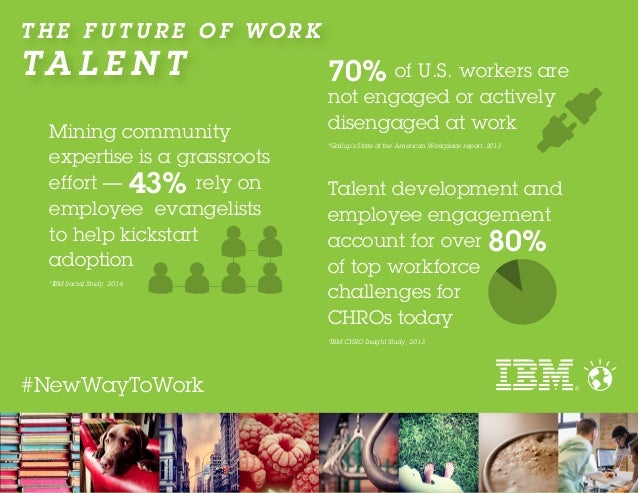
Today, studies estimate that there's a $500 billion lost in productivity and higher attrition since only 37% of global workers are considered to be engaged in the workplace.

IBM's #NewWayToWork Futurists Insights share that 74% of respondents to a survey define a "social" business as one that uses social technology to foster collaboration among, customers, employees and partners yet, only 45% of companies are using social to identify internal talent or key contributors.

IBM Connections is a great way to mine talent and engage your workforce. Teams can self-organize and come together to get work done faster; with less barriers.


On top of IBM Connections there are various solutions that can help further drive usage and adoption to accelerate the returns on investment. For example, the team over at Badgeville has created a solution called MotivationMetrics. Badgeville quotes that companies who successfully use gamification programs have seen an ROI of over 260% with a payback of less than 1 month!

If you are interested in learning more, on Thursday March 17th, 2016, I'll be co-hosting a webinar with the team over at Badgeville at 12pm  ET. To sign up, go to: http://info.badgeville.com/addressing-employee-engagement-crisis-webinar

Monday, March 14, 2016

IBM Verse Integration with Box Is Now Available

View Comments
As part of the IBM + Box partnership, IBM today has released Box support for IBM Verse. This new integration allows IBM Verse users to easily send files stored in Box to others.  You might remember hearing about this as part of the keynote at IBM Connect 2016 earlier this year. If you missed the keynote and the demos, here's the replay.


IBM Verse users that have this feature will be able to bring in their Box files when composing a message.  In the file picker, they'll be able to browse all Box folders that they have access to, or upload a brand new file and store it in Box:


Additionally, notice that in the bottom left you'll be able to select the access type for the folder or file being shared. Users will be able to select to share the file/folder with anyone that has the link, everyone in their company, or just the people that have access to the respective folder. Once the file or folder has been picked, a link is added to the message and is ready to be sent!


Note: If you don't see this option, let your admin know so that they can turn this feature on for you. In the admin panel, they can go to Email & Calendar Options and from there turn on Box (and offline as well!!):


Thursday, October 15, 2015

Time to Register for IBM Connect 2016

View Comments
It's time to start getting ready for IBM Connect 2016. All abstracts have been submitted and we are now finalizing the selection of the sessions. If you register by October 27th, you can enjoy some discounts as laid out here.

Not sure what IBM Connect is all about ? This is our yearly conference where we share our latest product updates and directions, a great opportunity to network and meet fellow users and partners/developers and learn from other success stories. Here's a bit more about the conference.


I'm specially looking forward to all the customer success stories. Based on the abstracts submissions that I've seen, I hope that we can select as many customers as possible. I often find myself learning tremendously from the stories that customers share about their deployments and what they are doing to drive a culture shift.

Adding to that, it's the abstracts that I'm seeing on application development perspective. Development is big part of my background and there's lots of good content there that I want to participate in as well.

Haven't started building your new digital collaboration platform ? Don't be left behind!


So stay tuned for details of the sessions that will be accepted. For now, go and register!


Monday, October 12, 2015

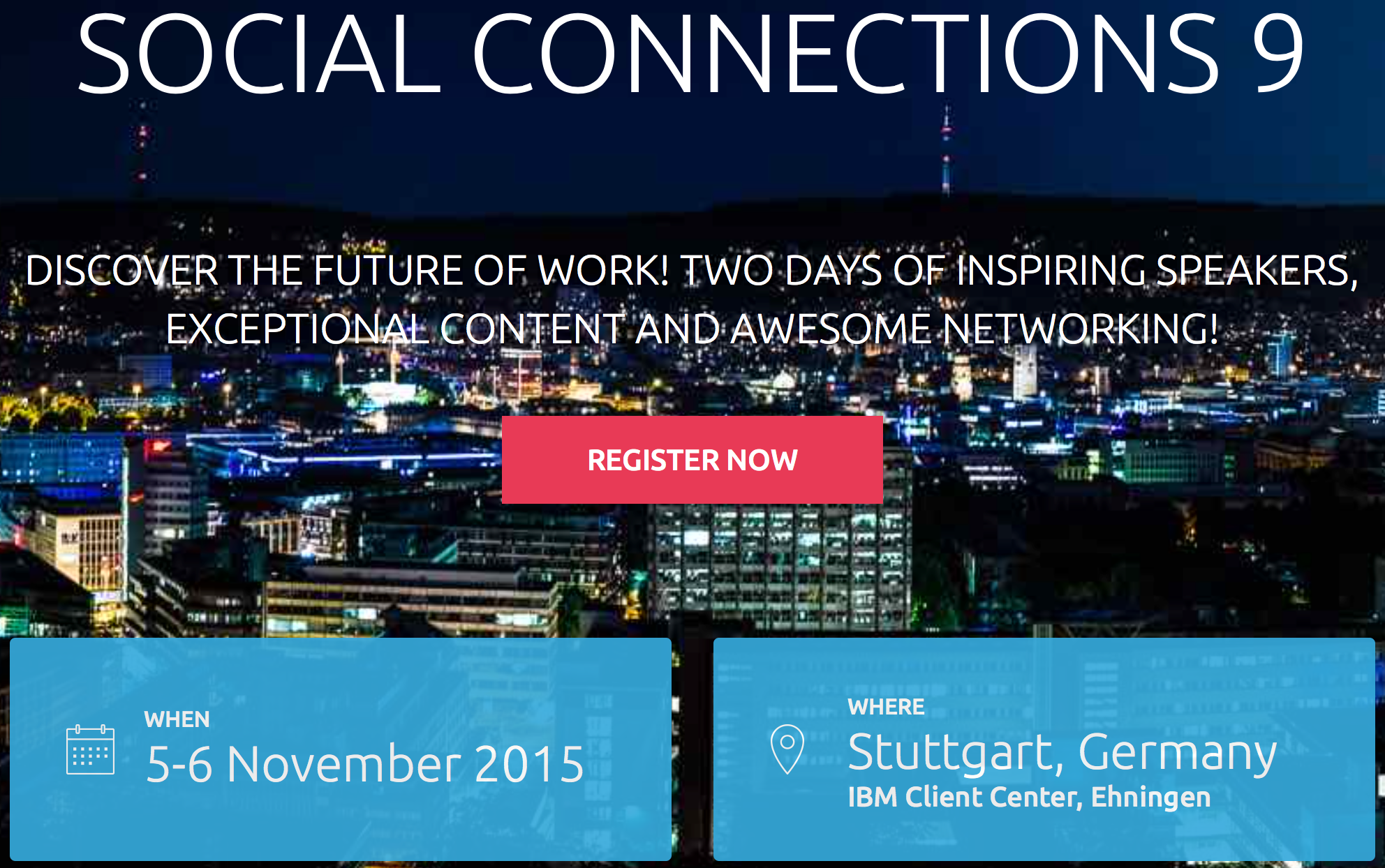
Social Connections 9 - The IBM Connections User Group Puts Together An Awesome Agenda

View Comments
In just a few weeks, the 9th Social Connections will kick off and it has one of the best agendas ever. If I counted correctly, there's 70 sessions over two days so I'm sure what whatever content you are looking for, it'll be there. With a focus on IBM Connections and Social Business, this is a first-class event for the user community. If you are working with, using, or what to learn more about IBM Connections, you need to make every effort to attend!


At the end of the first day, attendees will head out to Sensapolis and from what I can tell, it's going to be a fun night !


As it tends to happen with this user group conference, the timing seems to line up with our next IBM Connections release. As announced at IBM ConnectED earlier this year, we are getting close to releasing our next major on prem release of IBM Connections.  This year, René Schimmer will be attending the conference and will share all the details about What's Coming in IBM Connections Next.


Ready to sign up ? Register here ! Oh and don't forget to follow the Social Connections team on Twitter and like their page on Facebook to keep up with all the news about the event.

Monday, September 28, 2015

The Heart of Business Tour Comes to Boston Next Week

View Comments

The Heart of Business is about … YOU! Join business leaders, IBM business partners, innovators, and thought leaders to connect and win. Learn how to use Social Business Solutions to accelerate innovation, improve collaboration, manage relationships, and deliver better metrics.

Enterprise social networks are becoming the heart of business productivity and engagement. Successful businesses today are using their enterprise software platforms to create an ecosystem of capabilities, which drive influential innovation, dynamic relationships, connected collaboration and integral outcomes.

Join us to learn, share, and socialize with IBM and our business partners, including HYPE, Kaltura, Hootsuite, panagenda, Riva CRM and TrustSphere. Creating valuable outcomes for your business. There will be a panel of Business Leaders and distinguished guests who will engage with the audience on ideas and success factors that can help one's business increase value in the new age of social technology and customer experience.

Next week, the #HeartofBusiness tour comes to Boston and I'm going to join the amazing list of speakers there. From there, it heads out to San Francisco and New York. Check out this video which describes what the event is all about:


If you are nearby, check out the agenda and register now.

See you there! 

Monday, June 22, 2015

The IBM Connections Cloud June 2015 Release Is Now Live -- Check it out!

View Comments
Over the weekend we pushed out updates to our IBM Connections Cloud users (for those fathers out there, consider it a Happy Father's Day gift).

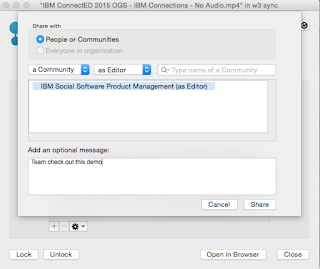
You will find updates throughout the experience both in the web and desktop.  For example, for Mac users you can now share files with Communities directly from Finder without ever needing to open a browser. Just right-click on the file, and voilá:


Another update this month was for developers.  Developers can now take advantage of the embedded experience extension point within the Activity Stream.  Each person and community has an activity stream (which follows the ActivityStrea.ms / OpenSocial 2.0 standard) which allows 3rd party apps to inject events into it (e.g. you could get alerts from an app telling you that an approval is required).

One of the first developers to take advantage of this in the cloud is AppFusions. They've now built connectors that are sure to please various roles within an organization. For example, if you want to get updates to files updates in Box, you can.  If you want to get updates when new code has been submitted to GitHub, you can. Or maybe you are a marketer and want to stay up to date with updates from Twitter.

Check out this video to see it in action!


The following slides summarize all the cool new things that are now available for IBM Connections cloud users.  Check these out to get an idea of what else is new:


And stay tuned for more news very very soon...

Wednesday, February 11, 2015

AppFusions brings Dropbox, Box, Office 365/OneDrive, and Google Drive to IBM Connections

View Comments
As we continue to wrap up from IBM ConnectED 2015 (and get ready for IBM InterConnect 2015), I wanted to highlight a new solution showcased at ConnectED 2015.  The solution comes from AppFusions and brings together many cloud file services such as Dropbox, Box, Google Drive and Microsoft OneDrive directly into IBM Connections.

For example, IBM Connections users to access, preview, edit, share, upload, and locally download OneDrive files directly from the IBM Connections platform.


Here are the features that AppFusions calls out (note: if you are not using Office 365 and instead you are using Google Drive or another cloud file service, you can pretty much substitute OneDrive below for your cloud file service.):
  • Natively authenticate, access and navigate your OneDrive/Box/Dropbox/Google Drive file directory, including sub directories, from IBM Connections
  • Preview files
  • Edit OneDrive files in Office365 from within IBM Connections, regardless of OS or Browser
  • Save back edits, direct to OneDrive/Box/Dropbox/Google Drive, from IBM Connections
  • Upload local files to OneDrive, from within IBM Connections
  • Download a copy of any OneDrive file, locally
  • Share OneDrive files (and identify share settings), from IBM Connections
  • Supports: Office365 native file formats, Adobe PDF files, Zip files, text files, etc.
Want to see it in action? Check out the quick 2 minute demo:


To learn more, check out the solution page in the AppFusions site for the integration that you are looking for:

AppFusions is offering a free 30 day trial so check out the links above for more details.

Tuesday, January 20, 2015

IDC MarketScapes Name IBM a Worldwide and European Leader for Enterprise Social Networks

View Comments
In late 2014, IDC released its IDC MarketScape Worldwide MarketScape Enterprise Social Network 2014 Vendor Assessment and their 2IDC MarketScape: European Enterprise Social Networks in 2014. IBM Connections was positioned as a leader in both reports.

Also in 2014, IBM was also named as the market share leader in the IDC Worldwide Enterprise Social Networks 2014-2018 Forecast and 2013 Vendor Shares report.  I'm extremely excited to see how IBM was positioned.

Also evaluated in the IDC MarketScape: European Enterprise Social Networks in 2014 is HYPE Innovation who IDC positioned as a Major Player.


You might recognize HYPE as an IBM Business Partner (Suzanne blogged about them last year) and their offering complements the IBM Connections solution. You can check out the demo here:


HYPE will also be at IBM ConnectED next week so make sure you go to their session and check out their announcement of their new integration with IBM Connections Social Cloud.

Monday, January 5, 2015

Employee Recognition Comes to the IBM Connections Cloud via KangoGift

View Comments
KangoGift continues to expand their integration options with IBM Connections, this time, bringing their employee recognition module to the IBM Connections Cloud. Once enabled organizations could allow their employees to recognize each other and perhaps include a recognition certificate (maybe a $25 gift card for Amazon).  This is one way to encourage the use and adoption of IBM Connections.


Some key capabilities provided in this release are:
  • Analytics highlight employee performance
  • Increase engagement with a fun way to give praise via recognition certificates
  • Support peer or manager programs
  • Manager reports summarize contributions
  • Tie recognition with other HR initiatives
  • View and give recognition from profiles
  • Share recognition via activity streams including mobile
  • Ensure budget compliance
  • Enable users to give spot awards according to business rules
Check out the quick 30 second video for an overview below:


To learn more, check out the IBM Connections Cloud on KangoGift.

Wednesday, October 15, 2014

Hootsuite Now Integrates with IBM Connections Social Cloud

View Comments
Now, this is HUGE! Today Hootsuite has announced their new capabilities now with added support for IBM Connections Social Cloud. Check out their announcement here.

The IBM Connections app for Hootsuite is now available in the Hootsuite App Directory.


So what can you do? This app enables joint customers of IBM Connections and Hootsuite Enterprise to:
  • Instantly share social content from Twitter and Facebook to colleagues and communities in IBM Connections (see below for more examples)
  • Engage with IBM Connections communities and content in Hootsuite alongside social network streams for Twitter, Facebook, LinkedIn, Google+ and more. 
  • Post new updates and comments to IBM Connections communities, and search for content across all of your communities from within Hootsuite. 
There are so many great things about this integration.  Let me expand on the first two.  First, taking content from consumer social networks and bringing that into Connections. There's a couple of use cases for that:
  • Customer Support - imagine a customer support agent gets a Tweet and don't know how to resolve. They can take that and share it with their colleagues via Connections to work on an answer. 
  • Marketing Amplification - The marketing team can work in Connections to create awareness around a new product launch, and others use Hootsuite to amplify the message in their social networks
  • Sales - A sales executive spots a lead in LinkedIn and sends it to his teammate in IBM Connections
  • Crisis Commnications - if a PR professional spots a crisis in the making in their Hootsuite dashboard, they can instantly engage their team via Connections to respond appropriately
  • HR Recruitment - an HR professional monitors social media via Hootsuite to identifies leads and understand how the company is perceived by potential candidates
  • and on, and on...
As you can see, the possibilities are endless.  The next capability is being able to use Hootsuite as your IBM Connections dashboard. Users may be participating already in 10-20 communities, and instead of manually keeping track of all these communities (via different browser tabs for example), they can use Hootsuite to bring it all together seamlessly into 1 single place.

"We are very excited about the launch of the Hootsuite integration with IBM," said Sandy Carter, General Manager of IBM Ecosystem Development. "With the general availability of the Hootsuite App for IBM Connections - whether in the cloud or on-premises - our joint customers now have the ability to engage with their IBM Connections streams from within the Hootsuite dashboard. This level of integration and efficiency is unique to our relationship and will allow companies to work more effectively by bringing internal and external social content, thought leadership, and customer voices into a single centralized dashboard -- making it incredibly easy to collaborate and share intelligence within the enterprise and across departmental silos, connecting individuals in every team with the ideas and people that matter."

Want to see this in action? Check out this video:


Want to learn more? Check out this asset created by the Hootsuite team. And also check out this video to learn more about Hootsuite Enterprise:

Thursday, August 14, 2014

TemboSocial Plugs Into IBM Connections and Takes Ideation To The Next Level

View Comments
By now, I'm sure that you are aware of TemboSocial. They have been adding value to IBM Connections, the market leading enterprise social collaboration platform, and it's some great work and I've talked about them in the past.

The first add-on they created was a bit over 2 years ago when they first introduced The Hive for IBM Connections, a social recognition module.

Last year, they further integrated with the IBM Connections platform by taking advantage of new integration points and extending our native mobile app in iOS and Android.

Now, TemboSocial has introduced TemboSocial Ideas for IBM Connections.  This new add-on plugs directly into a team site within IBM Connections and takes ideation to the next level.

With this add-on, you can crowdsource and gather ideas, surface the best ideas and comments, and the experts and moderators can curate the best contributions and provide updates on the idea (e.g. "In Progress", "Under Review", "Closed", etc). Additionally, it includes detailed real-time reports to determine sentiment, where the best ideas are coming from (e.g. by geography, role, workgroup, etc) and you can filter by time to measure the impact of your campaigns and see the results of your promotions.


Update 2:30pm ET: Tembosocial Ideas is front and center at the customer IBM Webinar "Innovation Starts with Social: How IBM Connections Social Software can Transform your Organization - Tuesday August 26th"

"Join ICS NA Executive Sales Leader Laura Wolf and Tembosocial president and founder Steven Green on Tuesday August 26th. It's the "Aha" moment for LOB how to best get value from, Social (on-prem or cloud), how existing Social organizations can make Social more strategic, and where first time Social organizations can effectively start. "

Registration here: https://events.na.collabserv.com/portal/wippages/register.php?id=65a4c4e364&l=en-US.
Since a picture is worth a 1000 words and a video is worth (a trillion?) words, check out this video to see how it works:


For more info, check out TemboSocial Ideas for IBM Connections.

Tuesday, July 15, 2014

Jabborate Brings Jabber and WebEx into IBM Connections

View Comments
This is one of those cases were timing couldn't have been better.  Just a few days ago someone was asking me about the possibility to integrate Cisco's Jabber and WebEx with the market leading social collaboration platform IBM Connections.

Anyway, then as I was catching up with my feeds I ran into a new presentation from Jabborate.  Don't you just love it when knowledge comes to you instead of you having to go out and search for it?

So here's the deal.  There are 3 types of integration into IBM Connections provided by Jabborate:

  • Jabborate - Adds presence, instant messaging, audio and video calls to IBM Connections via Cisco's Jabber
  • Jabborate WebEx - Adds virtual meetings and conference call management to IBM Connections via Cisco's WebEx
  • Jabborate Exchange - Adds a calendar and scheduling app to integrate IBM Connections with Microsoft Exchange 

Here's a deck that describes in more detail what's possible:


For more information, check out Jabborate for IBM Connections

Friday, April 25, 2014

Developers: Learn About Adding Social Features to Existing Apps with the IBM Connections SDK

View Comments
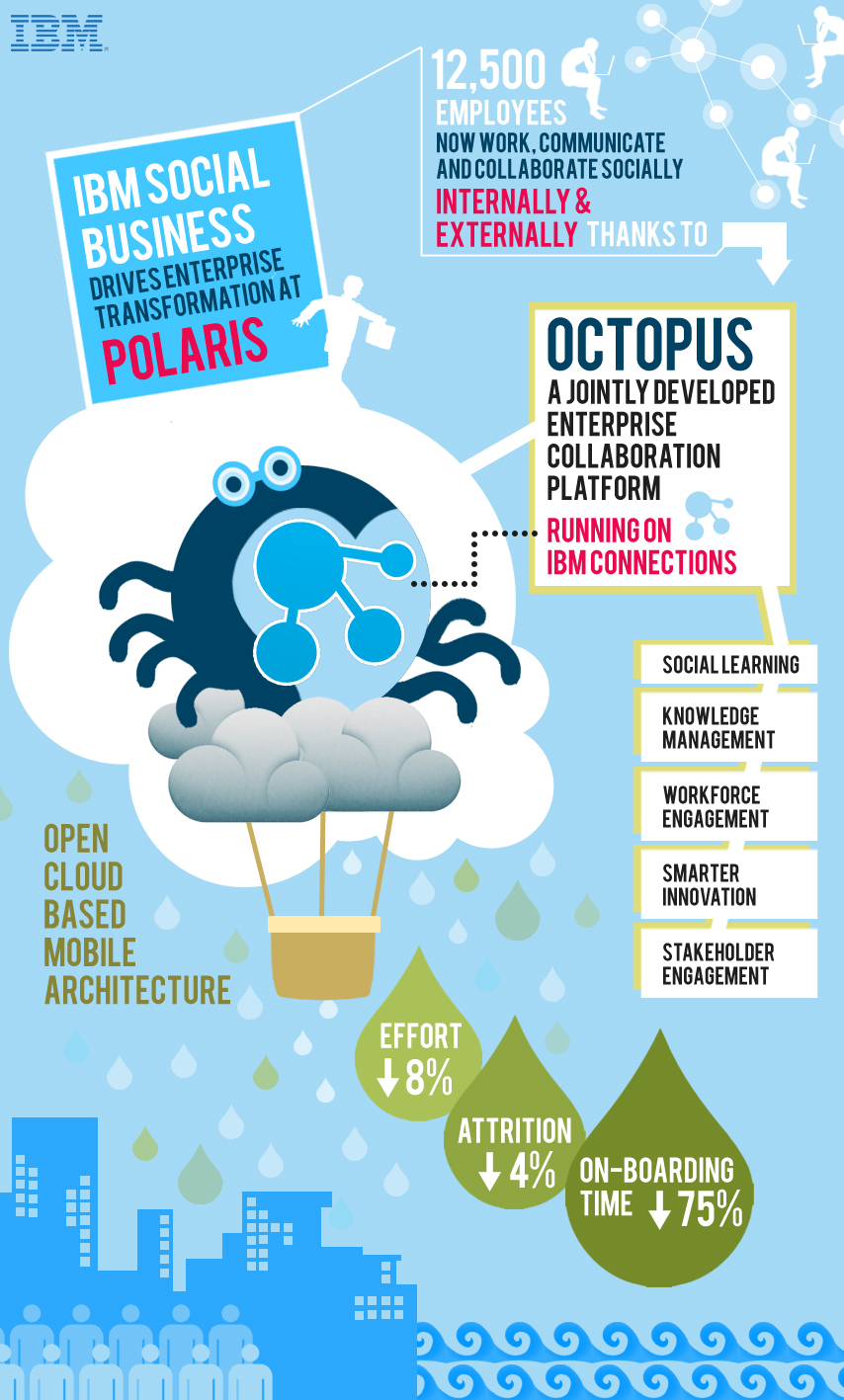
IBM yesterday announced that Polaris Financial Technology has selected IBM Connections to provide employees with a top notch digital experience to improve workforce productivity and accelerate business growth.

By adopting IBM’s leading enterprise social collaboration platform, Polaris FT is transforming how its 12,500 employees connect, communicate and collaborate to drive greater workforce productivity. Instead of relying solely on email to drive essential business tasks and project coordination, the new platform allows Polaris FT to leverage the collective knowledge of every employee to fuel new innovation, ideation and future business growth. This includes a significant reduction in the time it takes to on-board employees new to the company.                                                                                                      


So how did they do this? Working with IBM, Polaris designed and developed Octopus, an enterprise social platform that runs on IBM Connections and uses APIs provided in the IBM Social Business Toolkit. This application makes it easy for IBM partners and clients like Polaris to build an entirely new class of cloud-based social business applications for their businesses using the Connections foundation. With Octopus, Polaris is able to apply social networking, social learning, digital experiences and knowledge/content management tools based on an open cloud-based, mobile architecture.

If you are a developer and want to learn more about how to get started with the SDK, then add this to your agenda:
What: How to Add Social Features to Existing Applications with the IBM Social Business Toolkit
Date:  Apr 28, 2014
Time: 10:00 AM - 10:30 AM (Eastern Time)
This session will show you how to explore the Social API’s that are provided by IBM Connections. You will see the API’s running live in the Cloud. You will also learn about the building blocks that can be reused to add social features to your own applications. Finally you will see a demonstration of how an existing application has been extended to include social features.

To register for the developer webcast, click here.

And that's not all! IBM Connections Next is just around the corner so don't forget to register for the webcast on May 21 to learn more about what's coming in IBM Connections Next.

Wednesday, April 9, 2014

How To Build a Hello World App for IBM Connections

View Comments
Work is quickly ramping up as the product management team is working on the go to market activities for IBM Connections "Next". For example, yesterday I was working on updating the current IBM Connections Reviewer's Guide with information about the new release.  I also submitted two abstracts for the upcoming Social Connections VI user group meeting, which I hope get selected, but more on that later!

In case you don't know by now, my background is in app development and I wanted to take an opportunity to share a couple of new items in the IBM Connections SDK.

First, a pre-release of the iOS SDK is now available so that you can build your own iPhone/iPad apps as seen in the screenshot below.  Second, those of you developing for on-premises servers, the latest version of the QuickStart image which has Connections and Sametime all pre-installed is now available on SoftLayer.  And for those of you PHP lovers, there's now a PHP version of the IBM Connections SDK.


And that's not all. For those of you looking to develop apps for IBM Connections in the Cloud, Niklas Heildoff has posted several articles to help you get started:

  • Use the IBM Connections Banner in Custom Apps - One of the key aspects of building a custom app is integrating with the look and feel of the overall platform. IBM Connections in the Cloud provides a simple way to incorporate the main navigation into your own app giving end users a single, integrated end user experience and all you need to do is include a couple of lines of code!
  • Extending the User Interface of IBM Connections - IBM Connections in the cloud provides various extensions to make it super easy to extend the user experience. For example, let's say that you want to add a "Send a Thank You Award" button in someone's profile. A couple of clicks and voilá. 
  • Build a Hello World App for IBM Connections in Less than 5 minutes - This video walks through setting up your development environment and build a sample Hello World app to integrate with our cloud environment using the IBM Connections SDK.  In this case, it explains how to set up the Eclipse development environment, setting up Tomcat, get the right OAuth keys and go! Check it out below:


Developers, start coding!!