Pages

Showing posts with label verse. Show all posts

Wednesday, April 13, 2016

From IBM Connect: Visualizing the IBM Connections Profiles Data

View Comments
One of the great things of IBM Connect is all the great content that's shared. I remember going to my first conference and readily absorbing as much content as possible and putting it into practice. Of course, with so much content, sometimes you can't attend all sessions. It's all good, however, when speakers choose to share their content in platforms such as Slideshare.

I recently ran into this deck that Matt Milza shared and figured I would re-share as it's a great example of what can be done with the IBM Connections APIs. In the presentation, Matt provides a background on the APIs, examples on how to interact with them, and then shows a practical implementation of something he did for a customer.

Using the social data stored within the system, Matt created this simple visualization of the report-to chain for an organization.
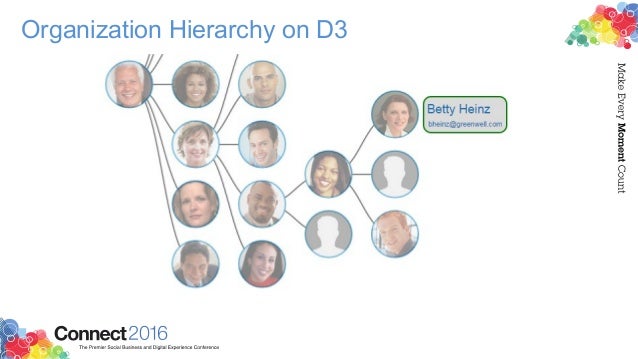


To walk through the process, check this out:


Want to learn more about building apps for IBM Connections? Check out: http://developer.ibm.com/social/

Monday, March 14, 2016

IBM Verse Integration with Box Is Now Available

View Comments
As part of the IBM + Box partnership, IBM today has released Box support for IBM Verse. This new integration allows IBM Verse users to easily send files stored in Box to others.  You might remember hearing about this as part of the keynote at IBM Connect 2016 earlier this year. If you missed the keynote and the demos, here's the replay.


IBM Verse users that have this feature will be able to bring in their Box files when composing a message.  In the file picker, they'll be able to browse all Box folders that they have access to, or upload a brand new file and store it in Box:


Additionally, notice that in the bottom left you'll be able to select the access type for the folder or file being shared. Users will be able to select to share the file/folder with anyone that has the link, everyone in their company, or just the people that have access to the respective folder. Once the file or folder has been picked, a link is added to the message and is ready to be sent!


Note: If you don't see this option, let your admin know so that they can turn this feature on for you. In the admin panel, they can go to Email & Calendar Options and from there turn on Box (and offline as well!!):