Pages

Showing posts with label ipad. Show all posts

Wednesday, October 14, 2015

Check Out This Demo of the New IBM Connections Editor

View Comments
image
The new IBM Connections Editor is a companion application the to the IBM Connections Mobile application for iOS and Android devices.  The IBM Connections Editor is a full-featured mobile editor, which will allow you to take files directly from IBM Connections Files and easily view or edit those files on your mobile device.  You can edit any Microsoft PowerPoint presentation, Excel spreadsheet and Word document from your Connections Files with the new editor.  You can also create new presentations, spreadsheets or documents in the editor and save them directly into IBM Connections Files. 

Full Featured Editor:

The IBM Connections Editor provides full-featured capabilities on the mobile device.  You can edit or create a PowerPoint presentation.  The editor allows you to add or remove slides, add images or video, add charts or shapes and provides a large option on fonts and colors.   You can present the slides directly from your mobile device as well as view animations and add notes to each slide.

You have the same robust capabilities when editing or creating a document as you do with presentations.  In addition to all those features you can also add or edit headers, footers, endnotes and footnotes.

When using the editor to edit or create a spreadsheet you have over 300 formulas for Arithmetic, finance, Date/Time, Statistical, Database, Look ups and much more.  You can also add charts and shapes directly into the spreadsheet.
image

Seamless and Secure

The seamless integration between the two mobile applications makes it easy to use and secure.  You can open any supported files in IBM Connections Files and select to edit that file, once you have selected Edit the document will automatically open in the IBM Connections Editor.  Once you have completed your updated in the editor simple select to save the document back into IBM Connections.  The file will save back to the exact place that you opened it from giving the option to add new tags and version description, this instance on the file will be saved as a new version.  The applications share a common storage therefore the documents always maintain their security settings.  The file remains secure during the entire round trip editing experience.  The IBM Connections Editor also provides MDM support for those vendors supported by the IBM Connections Mobile application.

The IBM Connections Editor is available today for download at no additional cost at the Apple App Store or Google Play

Check out the demo:

Monday, August 31, 2015

Save The Date: Enterprise File Sync and Share is Just the Beginning of a New Way To Work

View Comments
Save the date. In less than a month, we'll be hosting a webinar to take you through the latest capabilities available in our IBM Connections Files offering, the IBM solution for organizations that are looking for enterprise file sync and share (EFSS) capabilities in the cloud.


IBM Connections Files on Cloud is designed for today’s mobile worker, providing a secure, easy-to-use, collaboration and file management environment for all size businesses. This cost-effective, secure file sharing solution is easy to implement using software-as-a-service (SaaS) on our cloud (or you can run it on-prem too). A user centric design allows anyone to confidently share files with their network of customers and partners, as well as sync online files to their favorite mobile devices and tablets (supports both Android and iOS mobile devices). Here's a quick video I had shared earlier of the IBM Connections for Mac app:


Ready to learn more? One of the Product Managers for IBM Connections, Jim Puckett, will be hosting a webcast. Check out the details below:

Date: September 24, 2015
Time: 1-2pm Eastern Time
Registration:  To register for the event, click here.

See you there!


Tuesday, May 5, 2015

IBM Connections Adds Secure File Sync and Share Offering On-premises

View Comments
Following the release last quarter of our secure file sync and share offering in cloud, today we have just released the equivalent offering for those customers who would like to deploy this on premises. This new offering gives customers a new way to buy IBM Connections and get just the Files portion of the platform. This makes it easy to get started and customers can grow and buy the entire IBM Connections suite once they are ready to use other capabilities such as Communities, Forums, Ideation, etc.

The capabilities have already been highly praised by analysts such as Forrester and OVUM. In fact, check out this report from OVUM to find out why IBM Connections is a strong candidate to provide all the benefits and features an enterprise user might need from a file sync and share solution.

This offering includes:
  • Mobile apps for iOS and Android
  • Desktop plugins for Microsoft Windows and Mac (including integration into Microsoft Office 365 Desktop apps such as Word, PowerPoint, Outlook and Excel)
  • External file sharing (ie. share files with people outside of your organization)
  • Share files with individuals or groups
  • Lock files for editing to prevent conflicts
  • View files online without having to download
  • Control who can view/edit your files and who can re-share them 
  • View who has downloaded your files and which version they have
  • See how the file has been shared throughout your organization
  • and more... ! 
Available add-ons:
  • Compliance and Governance support 
  • Real-time co-editing of files without downloading 
Here's a demo of the plugins and mobile apps in action:


Enjoy!

Monday, February 2, 2015

IBM ConnectED 2015 Keynote Recap - the IBM Connections Demo

View Comments
It's hard to believe that just a week ago was the keynote (aka OGS ... aka the Opening General Session) at IBM ConnectED .  This year I again had the opportunity to demo during the keynote and present IBM Connections Next, the next iteration of our market leading enterprise social collaboration platform.

Prior to the demos, some interesting stats were shared. The one that caught my attention the most is that the IBM Verse announcement gathered more impressions than any other IBM announcement, including Watson, the IBM + Apple partnership and the IBM + Twitter partnership. That's HUGE!

The onto the demos. This year, Scott Souder focused on IBM Verse and I focused exclusively on IBM Connections. I wanted the audience to take a way a few things: 1) our focus on design, 2) our focus on helping people understand what's important so you can work on what matters, and 3) our focus on reducing interruptions.

(photo credit: Ed Brill)

Updated 11/Feb/2015: Here's a recording of the OGS (and you can skip to 37:30 for the IBM Connections demo):


For another perspective, one of the attendees in the first row captured the keynote and made it available in YouTube. Enjoy the keynote here (and you can skip to 54:00 for the IBM Connections demo):


And here's a sampling of the tweets during the OGS:


Beyond IBM Connections Next, there was also an announcement for a new IBM Connections offering that's just for Files. This will be the lead offering to compete in the Enterprise File Sync and Share space.  This is in response to many users loving our file sync capabilities, and in some cases asking for just that (without the other collaboration aspects from Connections such as Communities, Wikis, Blogs, etc). Analysts have also already highly rated IBM as a leader in the Enterprise File Sync and Share space.

This new offering will give you Files only, along with expertise search, social analytics and access to our desktop and mobile apps.  Users will have the option to buy upgrade to other cloud offerings such as Chat, IBM Verse, Web Meetings, IBM Docs, etc. The offering will be available as part of our March 2015 deployment.

Additionally, customers looking for compliance will be able to start using the Actiance Vantage offering with IBM Connections Cloud soon.

From the OGS, I headed over to the Dolphin for the What's New and Coming in IBM Connections and IBM Connections Mobile.  I'll cover that in the next post.

Tuesday, October 21, 2014

How To Take Notes While Mobile With the IBM Connections iPad App

View Comments
As I get ready to go to IBM Insight next week it occurred to me that it's good timing to talk about a question that I've gotten recently. Specifically, some colleagues have been asking about a way to take notes while traveling for a customer meeting or industry conference.

The way I do it is with the IBM Connections iPad app.  In the demo below, you'll see how to start creating a note from scratch.  One of my favorite capabilities is that you can co-edit with multiple people at the same time.


So imagine going to a conference and you and other colleagues at all taking notes in the same place without overwriting each other.  Perhaps one of you is taking pictures during the keynote and adding them to the note, while the other is writing down key bullet points.

Once you are done, you can publish the note and make it available to other colleagues in the organization that perhaps couldn't travel to your meeting.

Because this is all done inside the Connections app, the document security is kept and you don't need to take it out to another editor, and then bring it back.


So what do you need to make this happen? Whether you are a cloud or on-prem customer all you need is the latest version of our free iPad mobile app plus the IBM Docs add-on.

If you want to start playing with this, you can start a free 60 day trial of IBM Connections Social Cloud today!

Tuesday, August 19, 2014

Mobile Comparison of IBM Connections & Yammer

View Comments
I typically get questions about how collaboration platforms compare, especially in a post-PC, mobile first era. The term was made popular by Steve Jobs in 2007 (though first coined at MIT), and 3 months ago Microsoft CEO said the company had entered the post-PC era. So mobile.. a critical capability. Can't be without it. It's essential.

So here we are in 2014 -- a post-PC / Mobile First era, so let's take a look at comparing the mobile collaboration capabilities provided by IBM, with their market leading enterprise social collaboration platform called Connections, and Microsoft with a confusing story around SharePoint/Office 365/Yammer.

To that end, I wanted to share a video that one of my colleagues, Reynout van Adrichem Boogaert, put together. It's a bit long because it does an amazing job at taking an in-depth look at collaborating while on the go -- a must for today's workforce.

Of course, we can always look at app store ratings (Yammer has 3/5 stars in the app store, while the IBM Connections mobile app has 4.5/5 stars) which gives one angle, but let's get the full story.

The video starts with a description of what the Yammer app can do and can't do.


Now, what if you are in a situation where your company has made a decision to use some Microsoft technology?  Well, another one of my colleagues has you covered.  Omar Davison recently shared this video (you may have seen Suzanne Livingston's post last week) which tells the story of how you can use IBM Connections to enhance your Microsoft SharePoint and Microsoft Office tools.

Here's the 3 minute video:


Ready to get started? Don't wait, start a free trial now (no credit card required)!


Monday, August 4, 2014

The IBM Connections 5.0 Reviewer's Guide is Now Available in the iBook Store

View Comments
By now you are probably aware that the IBM Connections 5.0 Reviewer's Guide is available as shared by one of my teammates in the product management team, Albert Nichols.

For a while now, I've been wondering how we can make this more widely available and perhaps add even more value to this great asset.  Earlier in the year (if I remember correctly), I had heard that Apple had made iBooks Author a free app and decided to take that for a spin and see what I could do with it. And given the recent announcement of the Apple and IBM partnership, I figured why not!

To my surprise, it was very simple to take the work that Albert (and the rest of the PM team had done) and import it into iBooks Author and add some dynamic elements to it. As you may know, the Reviewer's Guide covers a lot of the functionality within IBM Connections, as well as our different integration points into ECM, Notes, Microsoft Outlook, SharePoint, mobile, etc. Therefore, I thought that a good way to make the guide more dynamic would be to incorporate all the various demos directly into the book.


My experience with iBooks Author was pretty positive. It only took a few minutes to convert the Reviewer's Guide into iBook format. Then, it took me about 5-6 hours to reorganize the content into iBook chapters, add the demos and interactive screenshots, and publish it to the iTunes store.  During the publishing process, I even discovered that iTunes Producer already integrates with Aspera, an IBM company for super fast file transfer.

Therefore, you now have a super easy way to get the Reviewer's Guide, access it offline, and even share with your peers. Go ahead and download the IBM Connections 5.0 Reviewer's Guide from the iBook Store and let me know what you think. I'm curious to know if this is valuable and if you would like to see more of these in the future.

PS.  There's 1 page that didn't come out correctly, but I'll let you find it.

Wednesday, June 18, 2014

A Little About IBM Connections 5.0 and File Sync

View Comments
Now that we have officially announced IBM Connections 5.0 I wanted to take some time and talk about one of the top new features in this release: enterprise file sync and share. Also, if you haven't seen it yet, check out Suzanne Livingston's blog from yesterday where she talks about the new external collaboration features of IBM Connections 5.0. This is a capability that we've had available in our cloud for a while and now we are making it available to our on-prem customers.

IBM Connections has already been cited by Forrester as a Leader in their Enterprise File Sync and Share Wave and IDC has stated that when it comes to marketshare, IBM Connections leads the way.

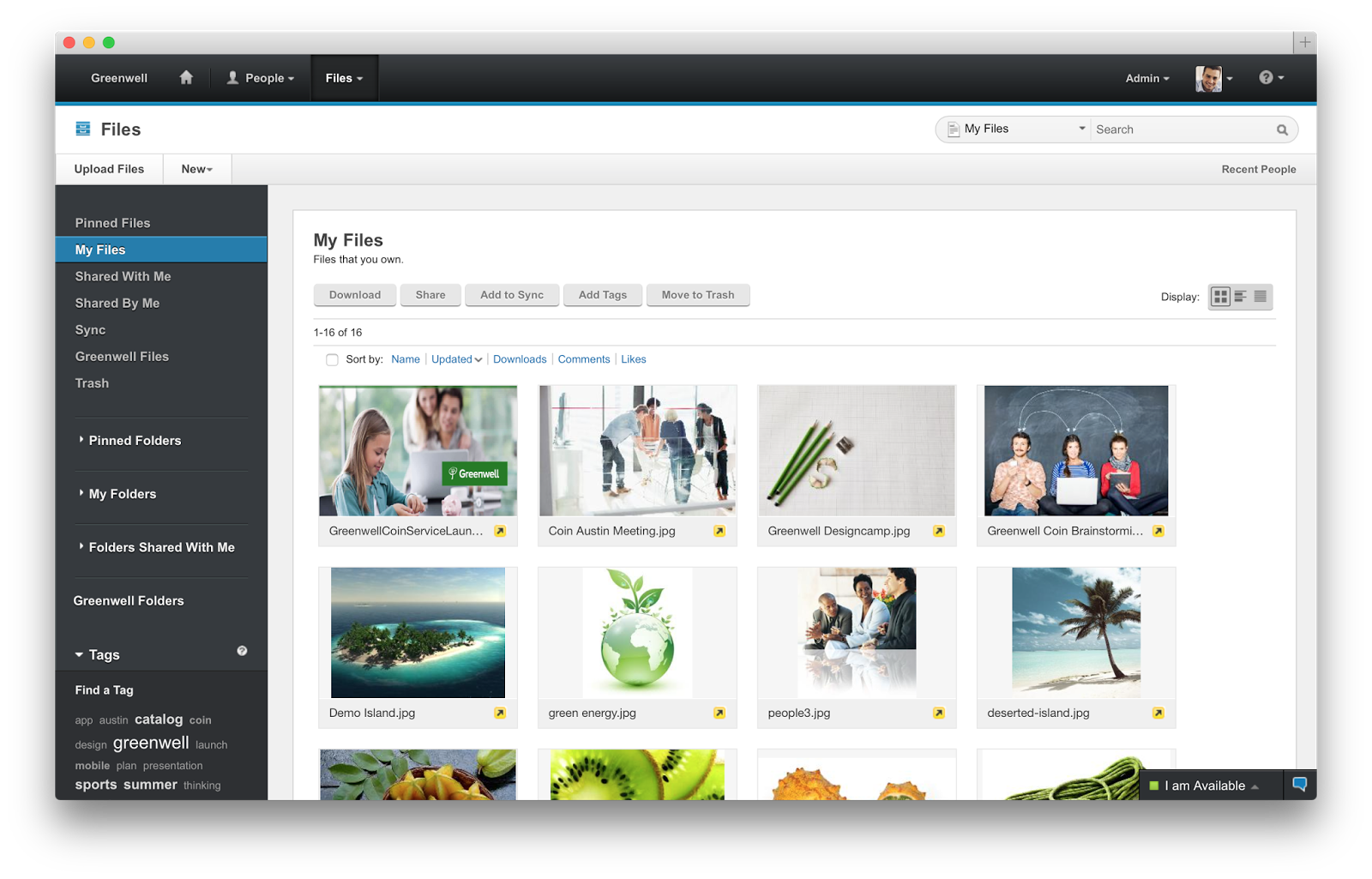
So back to File Sync.  As you can see from the screenshot in the right, when you install the latest IBM Connections Desktop Plug-Ins (which will be available for download in a couple of days) a new Sync folder will be created under Favorites.

There you can save files directly to IBM Connections and use Connections as your personal backup drive where everything is sync'ed automatically (including of course edits that you make offline).

Another added benefit and differentiator is that right from within your desktop you can right click on a file and act upon it. In other words, you can comment on it, tag it, like it, lock it (to prevent others from editing while you are offline) and even share it with other colleagues without ever having to open a browser.  By default, all files are marked as private and only you have access to them. From there you can choose to share with individuals, groups, or communities.

On the mobile side, you can use our native apps for Android and iOS and sync files to your favorite mobile device/tablet. On each device you can manually specify which files you want to have available there. For example, you may want some key presentations on your iPhone, while you have documents, spreadsheets and other assets available in your iPad.

Here's a quick 5 minute demo that shows the enterprise file sharing and sync capabilities of IBM Connections 5.0.


If you are an on-prem customer, get ready to download the code next week! Stay tuned for other new features in the coming days.

Monday, May 19, 2014

IBM Connections in the Cloud and Mobile Apps Have Been Updated

View Comments
This was an extremely busy for us for sure.  On Friday, my colleague, Baan Slavens announced the latest release of the IBM Connections Mobile app. And a few hours later our multi-tenant deployment of IBM Connections in the cloud was updated as well with the latest and greatest code.  The timing couldn't have been better!

And speaking of timing, we are just 2 days away from the May 21st webcast where we will be unveiling IBM Connections Next.  If you haven't registered yet, go ahead and register now and invite your friends, family, customers, partners, colleagues and everyone else.

So let's start with mobile.  I had given a quick preview of the new mobile app a couple of weeks ago in this teaser that I created.  The reaction over the weekend has been tremendous in the various social networks. I've captured a snapshot of the reactions below:


So go check out the new mobile app that's probably already updated in your device, or just go to the app stores and get it from there ( iOS or Android ).

And what did we do in our cloud? Well, you can see what's new in this presentation that I prepared below:


Now in the next couple of weeks, we'll take the code that's already in the cloud today, make a few adjustments and ship it to customers who would like to run this on-prem as IBM Connections Next.  See you on the May 21st webcast for IBM Connections Next!

Wednesday, May 7, 2014

New Release of IBM Connections in the Cloud Coming Next Week

View Comments
Next week we are going to be upgrading our cloud deployment of IBM Connections.  Many of these updates will be rolled into our on-premises IBM Connections Next release later this quarter.

Speaking of which.... on May 21st, we are hosting a virtual event to do the official unveiling of IBM Connections Next.  Therefore, you should go and register today and invite your family, friends, neighbors and all!


So what's new in this quarter's release of IBM Connections in the cloud? I've created a presentation to walk you through it.


As you can see in slide 14, we are adding a new thumbnail view of files.  This will help you quickly identify the file that you are looking for.  This feature will be progressively rolled out so it may take 1-3 weeks before you see it enabled.

With all these great updates, don't forget to wake up early on May 19th and enjoy the latest experience. And don't forget to join us on May 21st so go and register now!

To see the full list of new updates across our cloud infrastructure, click here.

Tuesday, April 22, 2014

Mark your calendars: Introducing IBM Connections Next !

View Comments
In less than a month, IBM will be introducing the newest, latest, and greatest release of IBM Connections.  Some of the latest capabilities were shown during the keynote demo at IBM Connect 2014.

File Sync on Mobile powered by IBM ConnectionsNow, it's time to unveil everything that we've been working on for the past year or so and bring it to you.  The official unveiling will happen on May 21st so mark your calendars !

As we've done in other years, we'll host a virtual web conference and walk you through the new business challenges that IBM Connections can help solve for you.

At this point, I can't say too much about the new release besides what you may already know from IBM Connect 2014.

Having said that, I thought it would be good to give you a sneak peek at what we'll be announcing in less than 1 month.  Check out this preview that I created:


If you liked that, feel free to take the video above and embed in your own IBM Connections blogs, wikis, forums, etc. Spread the word!

To learn more and register for the event, click here.

Wednesday, April 9, 2014

How To Build a Hello World App for IBM Connections

View Comments
Work is quickly ramping up as the product management team is working on the go to market activities for IBM Connections "Next". For example, yesterday I was working on updating the current IBM Connections Reviewer's Guide with information about the new release.  I also submitted two abstracts for the upcoming Social Connections VI user group meeting, which I hope get selected, but more on that later!

In case you don't know by now, my background is in app development and I wanted to take an opportunity to share a couple of new items in the IBM Connections SDK.

First, a pre-release of the iOS SDK is now available so that you can build your own iPhone/iPad apps as seen in the screenshot below.  Second, those of you developing for on-premises servers, the latest version of the QuickStart image which has Connections and Sametime all pre-installed is now available on SoftLayer.  And for those of you PHP lovers, there's now a PHP version of the IBM Connections SDK.


And that's not all. For those of you looking to develop apps for IBM Connections in the Cloud, Niklas Heildoff has posted several articles to help you get started:

  • Use the IBM Connections Banner in Custom Apps - One of the key aspects of building a custom app is integrating with the look and feel of the overall platform. IBM Connections in the Cloud provides a simple way to incorporate the main navigation into your own app giving end users a single, integrated end user experience and all you need to do is include a couple of lines of code!
  • Extending the User Interface of IBM Connections - IBM Connections in the cloud provides various extensions to make it super easy to extend the user experience. For example, let's say that you want to add a "Send a Thank You Award" button in someone's profile. A couple of clicks and voilá. 
  • Build a Hello World App for IBM Connections in Less than 5 minutes - This video walks through setting up your development environment and build a sample Hello World app to integrate with our cloud environment using the IBM Connections SDK.  In this case, it explains how to set up the Eclipse development environment, setting up Tomcat, get the right OAuth keys and go! Check it out below:


Developers, start coding!!


Tuesday, April 1, 2014

Introducing File Sync for Mobile and More in IBM Connections 4.5 CR4

View Comments
A couple of hours ago, IBM Connections 4.5 CR4 was made available.  This new cumulative release introduces various new features, two of which specifically for mobile that I would like to focus on.

It's worth noting that these features are already available to our cloud customers so we are just wrapping these up and giving them to our on prem customers.

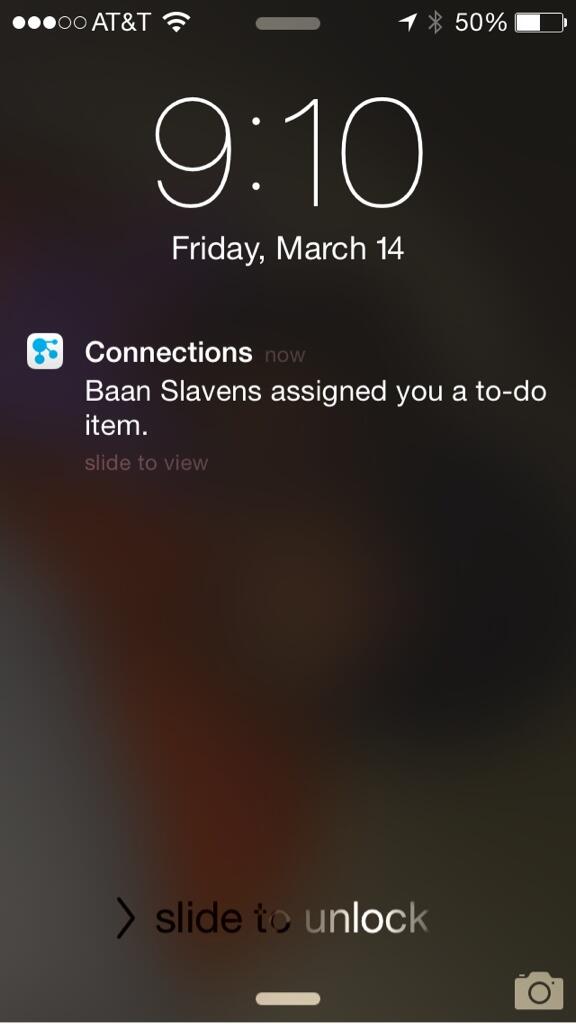
First, push notifications alert you when you have a new to-do (as seen below in the image), when someone asks to join one of your communities, or someone invites you to join their network.


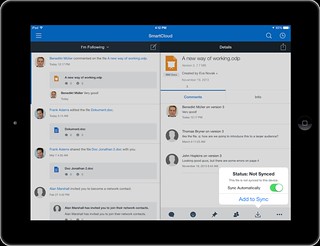
Additionally, you can now select individual files to sync and work while you are offline. When syncing, the server will do a differential sync. That way if one of your co-workers updates only 1 slide in a 50MB presentation, only the particular slide that was changed will be sync, saving you time, battery, and bandwidth. If you don't have unlimited 3G/4G/LTE plan, you can also choose to sync only while connected to wifi.

Finally, you can also pick and choose which files to sync to which device. For example, you may only want 2-3 key presentations on your Android phone (or iPhone) while having 20-30 documents on your iPad where you can more easily edit the files.

Check out this 4 minute demo so you can see File Sync working in Mobile:


To see what else is new in IBM Connections 4.5 CR4, go here. To configure File Sync and push notifications, see the documentation here.

Tuesday, March 11, 2014

Tip: How To Share Links Using The IBM Connections Mobile App

View Comments
Various users have reached out to me asking how they can share links / pages as they surf the web from their mobile device with their network in IBM Connections.

The trick is to use what's called bookmarklets. Follow these instructions to add the two bookmark lets to your browser and then you'll be able to quickly share links from your mobile browser to the IBM Connections Mobile app. I've written these instructions for Safari on iPad so these might vary based on your browser and/or mobile device.

  1. Open Safari on your iPad
  2. Add this page as a bookmark (click on the "Share" button in the top left)
  3. Find the bookmarklet below that you want. Select and copy the Javascript in the text field.

    To post a link as a status update:

    javascript:window.location='ibmscp://com.ibm.connections/updates?action=post&message='+encodeURIComponent(window.location.href)+''

    To save the link as a Bookmark in Connections

    javascript:window.location='ibmscp://com.ibm.connections/bookmarks?url='+encodeURIComponent(window.location.href)+'&title='+encodeURIComponent(document.title)+'&action=create'
  4. Go to your bookmarks (the book icon in the top right) and tap "Edit" in the bottom right. 
  5. Tap the new bookmark you just made of this page.
  6. Edit the name (e.g. Share in Connections) and in the URL field paste the Javascript you copied on step 3 above.
  7. Now to do the actual share, go to any web page, go to your bookmarks and tap the bookmarklet you want to use.


Voilá.

If you want to create your own bookmark lets for other things, check out this documentation on opening links to start the IBM Connections Mobile app. And if you are interested in other Bookmarklets (e.g. for Digg, Reddit, Pinterest, etc) check out this page.

Enjoy! 

Thursday, January 16, 2014

How to Interact with IBM Connections Files in iPad and Mac apps

View Comments
This is it! IBM Connect 2014 is now 10 days away and the news just keep coming in. If you haven't registered yet, what are you waiting for? Do it now!

Are you a mobile user that always needs access to your files ? Perhaps you are already using apps such as Goodreader, Notability, Pages, etc and now you want to interact with IBM Connections files directly from those apps?

File Jockey is your answer. This new integration adds some "magic" to IBM Connections (don't' worry, I'll spare you the details) so you can seamlessly interact with your files from your favorite mobile and desktop app. For example, on the Mac, you can use ForkLift to get to your files directly from Finder. On your iPad, you can use Goodreader to annotate PDF files, take meeting minutes, and manage your files. 

The trick is finding any app that supports something called WebDAV. If your favorite app supports WebDAV, then this is the solution for you. Another approach is to look for apps that support CMIS since that's the native protocol Connections supports as I discussed on this post from 2011.

Update 28/Jan/2016 with new video: Check out the demo below:


To learn more, check out their website and you can start using it today against one of our demo systems.

Tuesday, November 5, 2013

IBM Connections Mobile Apps Updated -- Adds Support for CCM

View Comments
One of the long awaited updates for the mobile app is now here. We have just pushed the apps to the App Stores and you can now access the CCM (Connections Content Manager) libraries. This is huge as you can now review files on the go and Approve or Reject right from the mobile device. Now, no matter where you are, you are not a bottle neck and people don't have to wait until you are in your desktop to review files.

Of course, all the social actions around the file (liking, tagging, commenting, etc) are available for files stored in the community library.

Here's how it looks on iOS and Android:


There's also more new features:
  • Support for MobileIron on iOS
  • Support for Andorid KitKat (4.4)

To download the latest updates for the apps go to the Google Play or iOS App Store and download today!


Wednesday, October 2, 2013

A Key Social Business Benefit: Remove Barriers to Collaboration

View Comments

By now, you are probably aware that we have updated our social collaboration cloud services and that the latest monthly release of the IBM Connections mobile apps have been posted to the app stores (click here for iOS and here for Android).

The big feature this time around for IBM Connections is File Sync which started rolling out to users Monday and should be available to all cloud users by Friday of this week.

As someone who works from home and travels a lot, I depend on my tablet. Wherever I go, I have instant access to the content that I need, irrespective of whether or not I have an internet connection. And when I'm connected, it gets even better as I have instant access to experts, I can start a video chat with them or a multi-way video meeting and just get business done! I still remember just 6-7 years ago when I travelled how important it was to have access to a telephone jack so I could try to plugin and get business done over a 56K connection. How much have times changed!

Two weeks ago, I demo'ed at the event IBM held where we covered how Social + Mobile + Cloud has transformed how we work today. There, I showed how File Sync works for me and a preview of the upcoming Sametime 9 mobile apps.

In case you missed it, I've included the demo below:

Want to get started with these solutions? Start a free trial today!

Wednesday, September 18, 2013

Social + Mobile + Cloud Transform My Work

View Comments

Today, IBM held a virtual event to showcase the latest release of their Enterprise Social Network. The event kicked off with the following video which we made available late last night:

Then, Erik Brynjolfsson, Director of the MIT Center for Digital Business and co-author with Andrew McAfee of Race Against the Machine, did a keynote with his take on how today's technologies are transforming the way we do work. In his keynote, he argued that it's not about inventing new technologies but inventing better ways to work with them.

I can definitely validate that if it wasn't for the social solution that I use every day, IBM Connections, I wouldn't be as productive as (believe) I am being a mobile employee for one of the largest companies in the world. It gives me the right capabilities to remove obstacles and barriers, and just move business forward ! Time and time again, I continue to find examples of how productivity increases by leveraging these new tools. That's what makes me passionate about doing what I do at work. I want everyone to benefit from a social business transformation!!

If you missed the event (and my mobile demo from my iPad), you can catch the replay here: http://ibm.co/reinventwork. And to continue the conversation, tomorrow, I'll be participating in a Twitter chat so if you want to participate, you can get all the details here.

See you tomorrow in the Twitter chat!

Tuesday, September 3, 2013

Watch out: We are updating IBM SmartCloud Connections. Say hello to File Sync!

View Comments

We have started the process to upgrade our cloud deployment of IBM Connections, IBM's Enterprise Social Network.

As announced here last week, we are updating our social business offerings and this quarter's release will be the biggest release ever! Interested to learn more? The first step is to register for our webinar in 2 weeks (see link below).

While there's tons of new features and capabilities that we are deploying over the next few days, I wanted to briefly call out our new file synchronization capabilities. As you may recall, Forrester cited IBM Connections as a Leader in File Sync and Share. For some time now, you've been able to download files, store them offline, edit them, and then manually re-upload them back to the server. It was time to automate this whole process. With File Sync, you can now travel stress free knowing that all your files are automatically sync'ed to your mobile device and that you always have the latest and greatest version of that very important presentation.

I've also gone ahead and updated my overview presentation with the latest content and you can see that here:

To walk you through all the great new features and watch demos of our new capabilities (spoiler alert: I'll be doing one of the demos), please make sure that you attend the following webinar. It will be on September 18th and that's where we'll go into more details about this amazing new release.


From the event registration page:

Workers are more dissatisfied and less engaged than ever before. But did you know that using social technology can increase efficiency by up to 25%? (source: McKinsey) . Additionally, 69% of employers believe employees are engaged, while only 34% of employees claim to be. (source: Kenexa blog) Since people now determine your success or failure, it's time to use social to rethink how work works.

To register, go here: http://ibm.co/reinventwork

Thursday, August 8, 2013

Tip: Smart App Banners To Promote the IBM Connections Mobile Experience

View Comments

Here's a tip to accelerate the deployment of the IBM Connections Mobile app on your sites. You may have seen some sites like LinkedIn recently add a banner suggesting users they launch into

A quick search on the web yielded this page on Apple's site with instructions on how to add a smart banner to promote a particular mobile app. Reading the instructions, I found out that all it takes is 1 line of code. You know I had to try it!

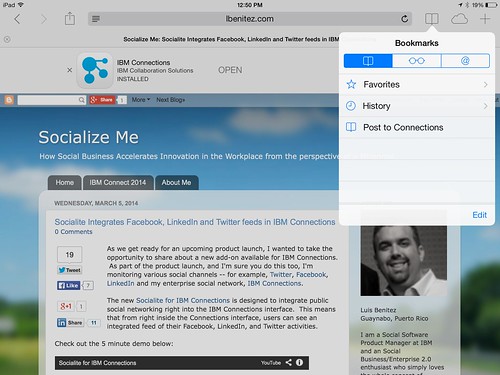
I went in to our blog on ibm.com, added the 1 line of code and voilá ! You can see the results in this screenshot from my iPad. To test it out, click here from your iOS device.

If the user doesn't have the app installed, they will be prompted to download it directly from the App Store.

To do this on your deployment:

  1. Follow the instructions here to customize page.jsp. The instructions are specific to header.jsp but it's the same process
  2. Open page.jsp with your favorite text editor
  3. Add the following line to the <head>

    <meta content='app-id=450533489' name='apple-itunes-app'/>

  4. Save the file
  5. Restart
Try it out and let me know how it goes.