Pages

Showing posts with label iOS. Show all posts

Wednesday, October 14, 2015

Check Out This Demo of the New IBM Connections Editor

View Comments
image
The new IBM Connections Editor is a companion application the to the IBM Connections Mobile application for iOS and Android devices.  The IBM Connections Editor is a full-featured mobile editor, which will allow you to take files directly from IBM Connections Files and easily view or edit those files on your mobile device.  You can edit any Microsoft PowerPoint presentation, Excel spreadsheet and Word document from your Connections Files with the new editor.  You can also create new presentations, spreadsheets or documents in the editor and save them directly into IBM Connections Files. 

Full Featured Editor:

The IBM Connections Editor provides full-featured capabilities on the mobile device.  You can edit or create a PowerPoint presentation.  The editor allows you to add or remove slides, add images or video, add charts or shapes and provides a large option on fonts and colors.   You can present the slides directly from your mobile device as well as view animations and add notes to each slide.

You have the same robust capabilities when editing or creating a document as you do with presentations.  In addition to all those features you can also add or edit headers, footers, endnotes and footnotes.

When using the editor to edit or create a spreadsheet you have over 300 formulas for Arithmetic, finance, Date/Time, Statistical, Database, Look ups and much more.  You can also add charts and shapes directly into the spreadsheet.
image

Seamless and Secure

The seamless integration between the two mobile applications makes it easy to use and secure.  You can open any supported files in IBM Connections Files and select to edit that file, once you have selected Edit the document will automatically open in the IBM Connections Editor.  Once you have completed your updated in the editor simple select to save the document back into IBM Connections.  The file will save back to the exact place that you opened it from giving the option to add new tags and version description, this instance on the file will be saved as a new version.  The applications share a common storage therefore the documents always maintain their security settings.  The file remains secure during the entire round trip editing experience.  The IBM Connections Editor also provides MDM support for those vendors supported by the IBM Connections Mobile application.

The IBM Connections Editor is available today for download at no additional cost at the Apple App Store or Google Play

Check out the demo:

Monday, August 31, 2015

Save The Date: Enterprise File Sync and Share is Just the Beginning of a New Way To Work

View Comments
Save the date. In less than a month, we'll be hosting a webinar to take you through the latest capabilities available in our IBM Connections Files offering, the IBM solution for organizations that are looking for enterprise file sync and share (EFSS) capabilities in the cloud.


IBM Connections Files on Cloud is designed for today’s mobile worker, providing a secure, easy-to-use, collaboration and file management environment for all size businesses. This cost-effective, secure file sharing solution is easy to implement using software-as-a-service (SaaS) on our cloud (or you can run it on-prem too). A user centric design allows anyone to confidently share files with their network of customers and partners, as well as sync online files to their favorite mobile devices and tablets (supports both Android and iOS mobile devices). Here's a quick video I had shared earlier of the IBM Connections for Mac app:


Ready to learn more? One of the Product Managers for IBM Connections, Jim Puckett, will be hosting a webcast. Check out the details below:

Date: September 24, 2015
Time: 1-2pm Eastern Time
Registration:  To register for the event, click here.

See you there!


Tuesday, May 5, 2015

IBM Connections Adds Secure File Sync and Share Offering On-premises

View Comments
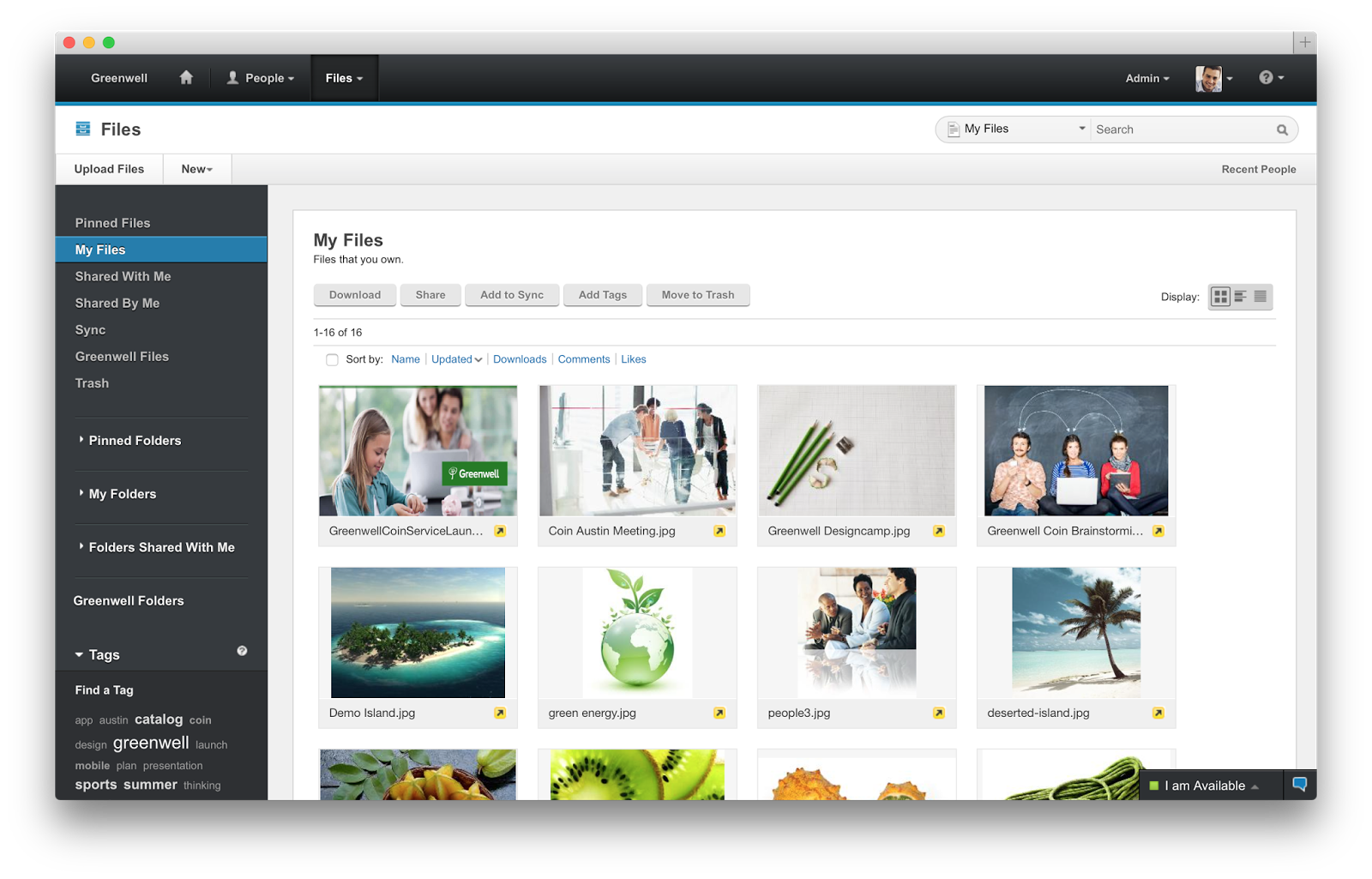
Following the release last quarter of our secure file sync and share offering in cloud, today we have just released the equivalent offering for those customers who would like to deploy this on premises. This new offering gives customers a new way to buy IBM Connections and get just the Files portion of the platform. This makes it easy to get started and customers can grow and buy the entire IBM Connections suite once they are ready to use other capabilities such as Communities, Forums, Ideation, etc.

The capabilities have already been highly praised by analysts such as Forrester and OVUM. In fact, check out this report from OVUM to find out why IBM Connections is a strong candidate to provide all the benefits and features an enterprise user might need from a file sync and share solution.

This offering includes:
  • Mobile apps for iOS and Android
  • Desktop plugins for Microsoft Windows and Mac (including integration into Microsoft Office 365 Desktop apps such as Word, PowerPoint, Outlook and Excel)
  • External file sharing (ie. share files with people outside of your organization)
  • Share files with individuals or groups
  • Lock files for editing to prevent conflicts
  • View files online without having to download
  • Control who can view/edit your files and who can re-share them 
  • View who has downloaded your files and which version they have
  • See how the file has been shared throughout your organization
  • and more... ! 
Available add-ons:
  • Compliance and Governance support 
  • Real-time co-editing of files without downloading 
Here's a demo of the plugins and mobile apps in action:


Enjoy!

Monday, November 24, 2014

Check It Out -- New IBM Connections Features Available in Cloud

View Comments
Over the weekend, IBM rolled out new features to IBM Connections Social Cloud, the market-leading enterprise social collaboration platform.

In this month's release (if you are wondering, we'll skip updates in December because of the holidays so the next release will be in January), you'll find capabilities that the community has been asking for in the IBM Connections ideation area.

Our team put together a presentation so that you can see the new capabilities (see below) and here are some highlights I wanted to call out:
  • User Experience
    • With the announcement of #IBMVerse last week, we've enabled a new theme to match the visuals found in that product. Admins can choose to use this new theme. We'll keep updating this one, though don't hesitate to let us know what you think about this one. 
  • Files
    • New file sync and share plug-in for the Mac
    • Personal file storage now up to 1TB at no additional cost
    • Individual per file limit now up to 2GB (Safari/Chrome/Firefox browser required)
    • Admins now have more control over what users can do with files on mobile
  • Communities
    • Community owners can now disable the Mail Community option
    • Community owners can now reposition the Members, Important Bookmarks and Community Description apps
    • Store up to 50GB of files in Community Files at no additional cost
    • Attach up to 5GB of files in Community Wikis at no additional cost
Here's the presentation (and check out the slides towards the end for a sneak peek of the updated mobile app coming in the next few days):


For the entire list of what's new (including in the chat, messaging, and meetings components), check out the latest What's New in IBM Connections Cloud documentation.

Enjoy!

Monday, September 29, 2014

New Release of IBM Connections Social Cloud Is Here

View Comments
Here's one way to start the week on a high note.  Over the weekend, we enabled the latest features for our Q3 (or fall release) of IBM Connections Social Cloud, which, as you can tell off the bat, features a new name and tons of goodies. Mitch and Chris had already shared the news about the new name, which we made public back in January of this year at IBM Connect 2014.

You may have already seen the blog from last week from Rebecca Buisan which previewed some of the things that we turned on this past weekend. Let me take the opportunity to go into a bit more detail.
First, you'll notice that we have a brand new site over at http://ibmcloud.com/social as you can see above. We want to make it easy to find what you need and direct your attention to what matters. As you may remember, last month we turned on video chat. This month, we've added features to make it easier to find experts, synchronize your files to the desktop, and increased engagement capabilities by using @mentions in more content areas (for example, forums, to-do's and more). I'm not fond of text, so check out this presentation for all the details of what's new:


How's that for a release ? But wait...! There's more!


Developers.. we haven't forgotten about you!! We are launching a new site just for you over at http://developer.ibm.com/social (screenshot above) very soon. We are going to be doing some continuous updates to this page so expect to see more changes soon. Additionally, we've created a schedule to continuously share content with you via the team blog. This will get you more content from more people and gives a hand to the super awesome Niklas Heidloff. If you haven't subscribed to that one, do it now.

Want to get your hands on all of this? Start a trial today over at http://ibmcloud.com/social .

Tuesday, August 19, 2014

Mobile Comparison of IBM Connections & Yammer

View Comments
I typically get questions about how collaboration platforms compare, especially in a post-PC, mobile first era. The term was made popular by Steve Jobs in 2007 (though first coined at MIT), and 3 months ago Microsoft CEO said the company had entered the post-PC era. So mobile.. a critical capability. Can't be without it. It's essential.

So here we are in 2014 -- a post-PC / Mobile First era, so let's take a look at comparing the mobile collaboration capabilities provided by IBM, with their market leading enterprise social collaboration platform called Connections, and Microsoft with a confusing story around SharePoint/Office 365/Yammer.

To that end, I wanted to share a video that one of my colleagues, Reynout van Adrichem Boogaert, put together. It's a bit long because it does an amazing job at taking an in-depth look at collaborating while on the go -- a must for today's workforce.

Of course, we can always look at app store ratings (Yammer has 3/5 stars in the app store, while the IBM Connections mobile app has 4.5/5 stars) which gives one angle, but let's get the full story.

The video starts with a description of what the Yammer app can do and can't do.


Now, what if you are in a situation where your company has made a decision to use some Microsoft technology?  Well, another one of my colleagues has you covered.  Omar Davison recently shared this video (you may have seen Suzanne Livingston's post last week) which tells the story of how you can use IBM Connections to enhance your Microsoft SharePoint and Microsoft Office tools.

Here's the 3 minute video:


Ready to get started? Don't wait, start a free trial now (no credit card required)!


Monday, August 4, 2014

The IBM Connections 5.0 Reviewer's Guide is Now Available in the iBook Store

View Comments
By now you are probably aware that the IBM Connections 5.0 Reviewer's Guide is available as shared by one of my teammates in the product management team, Albert Nichols.

For a while now, I've been wondering how we can make this more widely available and perhaps add even more value to this great asset.  Earlier in the year (if I remember correctly), I had heard that Apple had made iBooks Author a free app and decided to take that for a spin and see what I could do with it. And given the recent announcement of the Apple and IBM partnership, I figured why not!

To my surprise, it was very simple to take the work that Albert (and the rest of the PM team had done) and import it into iBooks Author and add some dynamic elements to it. As you may know, the Reviewer's Guide covers a lot of the functionality within IBM Connections, as well as our different integration points into ECM, Notes, Microsoft Outlook, SharePoint, mobile, etc. Therefore, I thought that a good way to make the guide more dynamic would be to incorporate all the various demos directly into the book.


My experience with iBooks Author was pretty positive. It only took a few minutes to convert the Reviewer's Guide into iBook format. Then, it took me about 5-6 hours to reorganize the content into iBook chapters, add the demos and interactive screenshots, and publish it to the iTunes store.  During the publishing process, I even discovered that iTunes Producer already integrates with Aspera, an IBM company for super fast file transfer.

Therefore, you now have a super easy way to get the Reviewer's Guide, access it offline, and even share with your peers. Go ahead and download the IBM Connections 5.0 Reviewer's Guide from the iBook Store and let me know what you think. I'm curious to know if this is valuable and if you would like to see more of these in the future.

PS.  There's 1 page that didn't come out correctly, but I'll let you find it.

Wednesday, June 18, 2014

A Little About IBM Connections 5.0 and File Sync

View Comments
Now that we have officially announced IBM Connections 5.0 I wanted to take some time and talk about one of the top new features in this release: enterprise file sync and share. Also, if you haven't seen it yet, check out Suzanne Livingston's blog from yesterday where she talks about the new external collaboration features of IBM Connections 5.0. This is a capability that we've had available in our cloud for a while and now we are making it available to our on-prem customers.

IBM Connections has already been cited by Forrester as a Leader in their Enterprise File Sync and Share Wave and IDC has stated that when it comes to marketshare, IBM Connections leads the way.

So back to File Sync.  As you can see from the screenshot in the right, when you install the latest IBM Connections Desktop Plug-Ins (which will be available for download in a couple of days) a new Sync folder will be created under Favorites.

There you can save files directly to IBM Connections and use Connections as your personal backup drive where everything is sync'ed automatically (including of course edits that you make offline).

Another added benefit and differentiator is that right from within your desktop you can right click on a file and act upon it. In other words, you can comment on it, tag it, like it, lock it (to prevent others from editing while you are offline) and even share it with other colleagues without ever having to open a browser.  By default, all files are marked as private and only you have access to them. From there you can choose to share with individuals, groups, or communities.

On the mobile side, you can use our native apps for Android and iOS and sync files to your favorite mobile device/tablet. On each device you can manually specify which files you want to have available there. For example, you may want some key presentations on your iPhone, while you have documents, spreadsheets and other assets available in your iPad.

Here's a quick 5 minute demo that shows the enterprise file sharing and sync capabilities of IBM Connections 5.0.


If you are an on-prem customer, get ready to download the code next week! Stay tuned for other new features in the coming days.