Pages

Monday, January 12, 2009

When I Use Twitter, IBM Wins...

View Comments

As I was having dinner with a colleague recently, it occurred to me that IBM gets more value out of me using Twitter, than I do. Now, I know in some cases as with Comcast, they actually pay people to use Twitter. Why ? Well, because it helps improve customer satisfaction and it's an easier/cheaper way to solicit customer input.

In my case, however, I'm not (officially) paid to Twitter on behalf of IBM. So, why do I think that IBM gets more value out of me using Twitter than I do personally? It's all about how I use Twitter.

How I use Twitter

I believe Twitter lets me build and maintain relationships with the external IBM community. Additionally, Twitter helps me collaborate effectively with customers, business partners, and even potential new customers. In fact, just recently I used Twitter to connect with a business partner and create a new iWidget for Lotus Connections in minutes! Again, in this case I'm helping IBM build a community and a set of solutions for their product.

A big part of Twitter is posting updates to your timeline. I send my updates to Twitter in different ways:

  • 75% of the time I use Twhirl to read and send status updates
  • 20% of the time I use TwitterBerry from my BlackBerry 8830 to read and post status updates
  • 5% of the time I use Ping.fm (via Google Talk) to update my status in Twitter (and Facebook, LinkedIn, FriendFeed, etc...)

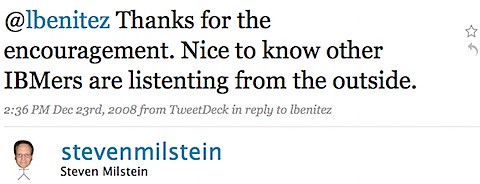
The second way I use Twitter is to study what people are saying about Lotus Connections. By subscribing to a feed of updates that talk about Lotus Connections, I can monitor all Twitter users (regardless if I know them or not) and address any issues, FUD, or perhaps answer a question from a potential customer. For example, last month I saw a tweet by a Lotus Connections user and I responded offering my assistance. Here's what he had to say:

200901062139.jpg

I've also discovered potential new opportunities for Lotus Connections using this feed.

Therefore, I'm helping IBM in the following ways:

  1. build a community around their product
  2. build a brand around their product
  3. provide free support for their product
  4. innovate, collaborate, and help business partners be successful (in turn making IBM successful)
  5. build awareness of the product
  6. provide more marketing of the product

Value to Me

Twitter certainly helps me stay on top of new fads and trends. I also get to exchange and discuss ideas with thought leaders from the Enterprise 2.0 world.

IBM > Me

Don't get me wrong. I'm not frustrated or mad that IBM gets more value out of it. I think this is a wonderful example of how social tools used by employees are a great value-add to the organization. Typically, organizations tell me that they are afraid of social tools: "they are just a waste of time and do not provide any value". I hope this example, is just another one that helps them see how social tools can be very powerful and constructive.

Next Step: Calculate the ROI for this use case! Any ideas on where to start?

How about you? How do you use Twitter? And do you feel like your employer gets more value out of it than you personally?

Saturday, January 10, 2009

Final Update from MacWorld

View Comments

web.jpgMacWorld ended today. What a sad day! On the positive side, Lotusphere is just around the corner! I am currently stuck at San Francisco's airport where I tried to do standby for an earlier flight with no luck. Now, I have to wait 4 hrs before my plane leaves towards Miami, I have a 3 hr layover in Miami and make it home around 2:30pm tomorrow. But it was a great week overall!

Today, I covered the South Hall Expo. This was by far the best Hall! Based on the sizes of the booths and the vendors that were there, this was the main expo hall. I saw a LOT of cool apps for the iPhone and I'm so tempted to buy one! I also got to talk to the Intuit folks to see what's up with Quicken for Mac. Turns out that a new version is scheduled for this summer and they gave me a CD with the Beta (it's called Financial Life). It looks GREAT! Apple, of course, had tons of floor space there and I caught a very nice demo of iMovie '09! I can't wait for it to ship later this month.

The other Mac application that really caught my attention was Garage Sale. This tool lets you create eBay listings that are very pretty, easily!! And the iPhone that I thought was the best was Smule. If you want to see more pictures that I took at MacWorld, check out my MobileMe page.

This week wasn't all about MacWorld though. I also got a chance to meetup with a fellow Twitter follower and IBM colleague, @saradelekta. I visited a nearby customer to talk about Lotus Connections and social software adoption recommended practices.

Moreover, I participated in two IBM internal meetings. The first was on how to team effectively when positioning social software and the second was on best practices for Lotus Connections.

And just like before, I found out that working from the west coast is exhausting. I was up most days by 5:30am to handle calls with my east coast colleagues. I think next time I'm going to be more strict with myself and do not take calls before 8:00am!

Friday, January 9, 2009

Update from MacWorld

View Comments

So now that people have digested this week's Apple KeyNote and Microsoft has tried to steal the thunder by announcing tomorrow's release of Windows 7 Beta, I wanted to give you an update to what I've been up to at MacWorld Expo.

First, let's start with the IBM booth. Just like Ed Brill had commented, the comments have varied a lot, and were mostly what we expected. Here are some of the comments that I've heard from customers that have stopped by:

  • Why is IBM here ?
  • I still don't see why IBM is here?
  • What kind of software does IBM make that's worthy of the Mac ? ( the sarcasm of this comment cracked me up.. )
  • Didn't Lotus go bankrupt 10 years ago ?
  • I can't believe Big Blue is here!!

Interestingly, some people have stopped more than once and have even brought their colleagues, friends, family to see what we've done with Lotus Notes v8. One of them was heavily impressed when I showed the Facebook Google Gadget inside of Notes!

I also got a chance to meet the Rational and Informix IBMers that were there and helped them get up and running with Notes 8.5 by recommending some must-have plug-ins!

Now on to the floor. I don't consider myself a Mac fanboy. I've been using a Mac for less than a year and must admit that so far I'm pretty impressed by what it can do. What I've really apprecciated is getting to know all the products and software that are available for the Mac and the iPhone.

Here are some of my favorites after visiting 50% of the Expo Hall:

Third, it was really cool being able to take a 3D Lenticular Imaging Photoshop Class with Russell Brown (Adobe's Creative Director). If only I could afford Adobe Photoshop CS4 Extended.

Fourth, I got to meet Michael Rowe in person, one of the co-hosts of the Dogear Nation podcast. He showed me some great apps and games for the iPhone. My favorite ? A flight simulator running in the iPhone!!! Last time I ran a flight simulator, my computer crashed cause I didn't have enough power to run the software!!! Yet, he can run a flight simulator in the iPhone?? Wow!!

Tuesday, January 6, 2009

Lotus Notes v8.5 released at MacWorld!

View Comments

As you may have heard already, Lotus Notes v8.5 has been officially released! AND it was released at Apple's last MacWorld conference. Customers and business partners can start downloading the Notes v8.5 client NOW! I'm glad to say that I already have it installed on my Mac OSX (Leopard).

Additionally, for the first time in many years, IBM has a kiosk there showing all of their software that works on Mac. I am lucky enough to have an Exhibitor Pass to MacWorld and will be here at the MacWorld Expo until Friday night! I'm also surprised that there are several IBM software brands will be at MacWorld: Lotus, IM, and Informix.

As a Lotus on Mac user, I'm thrilled that Lotus decided to announce Notes v8.5 today instead of waiting two more weeks for Lotusphere! With this announcement "out of the way" (so to speak), this leaves room for even bigger announcements at Lotusphere less than two weeks from today! Honestly, when Ed Brill announced they were going to wait after the Christmas holiday to ship Lotus Notes v8.5, I thought he meant they were going to wait until Lotusphere!

Here are some of the new features that I like the most:

  • Includes Lotus Symphony 1.2.1 beta for Mac embedded
  • Ability to add Calendars from Lotus Connections Activities, Google Calendar, and iCal feeds
  • Ability to take Lotus Connections Activities offline!
  • Ability to bookmark any document, database, and/or view in Lotus Connections Dogear
  • Includes Sametime v8.0.1 with the WebAPI plug-in (important to show ST awareness in web applications such as Lotus Connections)
  • Drag-n-drop emails into Sametime to add contacts to your Sametime list
  • Photos/Screenshots embedded into emails are automatically compressed when sending
  • File attachments are now shown at the top of each email (so that they are easier to find)
  • New support for LiveText on the Mac
  • Performance! Lotus Notes v8.5 on my Mac starts about 70% faster than Public Beta 2

Now, I know that you are wondering... "When can I get the Lotus Connections Activities sidebar to work on my Mac?" Well, the wait is over! Just like I hacked Public Beta 1 and Public Beta 2 to add the Activities sidebar to Notes v8.5 on the Mac, I've hacked the Gold release of Notes v8.5 so that you can add the Activities sidebar to your Notes v8.5 whether you are on Linux or Mac!!!

Once you download and install Notes v8.5 on your Mac, follow these instructions to add the Activities sidebar to it:

  1. Uninstall the previous hack if you had it installed. (File > Application > Application Management)
  2. Go to File -> Application -> Install
  3. Select Search for new features to install and click Next >
  4. Click on Add Remote Location...
  5. Set the Name to Activities Sidebar
  6. Set the URL to http://blog.lbenitez.com/updateSite/site.xml (Note: New URL)
  7. Click Ok and then Finish
  8. Follow the remaining steps and restart Notes for the changes to go into effect

Note: You will see several categories listed. Make sure you select the category named: Notes 8.5 Gold.

Enjoy!!

Monday, January 5, 2009

How To Update Strings in the Homepage

View Comments

Happy 2009. Today's blog post is a quick tip on Lotus Connections. Later this week I have a big post coming so I don't want to take too much of your time today.

In Lotus Connections, there are several *.properties files which allow administrators to easily change field labels. For example, you can change "IP Phone Number" to "VoIP Telephone Number". This has become really valuable for a lot of customers because it lets them change the field labels to something their end-users (employees) are used to. This, in turn, helps drive adoption.

The Lotus Connections InfoCenter documents how to make changes to the field labels. However, for some reason the Homepage instructions were left out.

After digging around and asking Adrian Spender, I got the answer:

<WAS_PROFILE_ROOT>/installedApps/<cellname>/Homepage.ear/dboard.common.jar/com/ibm/lotus/connections/dashboard/nls/jsp_resources*.properties.

Enjoy!