Pages

Showing posts with label java. Show all posts

Wednesday, August 25, 2010

Lotus Connections Community Newsletter Generator Plug-In

View Comments

As you know, I was recently out of the office for my paternity leave. In my previous post I hinted as how I was working with Sacha Chua on a new project. Well, it turns out that during my paternity leave, my first TAP (IBM's Technology Adoption Program) contribution was published: the Lotus Connections Community Newsletter Generator!

Based on some code that I had already written (and it's also used in the Lotus Connections Notifications Plug-In), Sacha Chua took my code and built an amazing toolkit for Lotus Connections community owners. Part of the toolkit quickly generates a newsletter based on the community's recent activities for distribution to community members. (IBMers, see my internal blog for more details that I can't disclose right now).

I then took Sacha's code and converted it into an Eclipse plugin. Just like my other plugin, this plugin will soon be available in the Plugin Catalog.

Here's a demo so you can see how it works.

Feedback from internal users has been overwhelmingly positive and I'm glad I can provide some value.

Let me know what other features you would like to see!

Enjoy!

Monday, June 7, 2010

Creating a Lotus Connections Plug-In for Sametime

View Comments

Last week I posted about a new plug-in I created for Sametime, the Lotus Connections Notifications Plug-In. The plug-in is basically a feed reader of all the things that your colleagues are working on inside Lotus Connections, but it's a lot easier to use for the big majority of users. And because it brings Lotus Connections to the desktop, it drives adoption.

One of the comments left on my blog asked some technical details on which APIs I used to create the plug-in. I briefly mentioned that I used the Notifications API, but I wanted to expand on that. Thus, warning, the following is very geeky!

When I first started, I looked at the sample plug-ins included with the Sametime SDK, specifically the com.ibm.collaboration.realtime.sample.snippets sample. If you want to learn more about how alerts work, I recommend taking a peek at the sample code provided in that simple plug-in.

I think that the best way to explain this is go through the flow of the plug-in and mention the classes being used:

  1. First, the plug-in is activated during startup because one of its classes implements org.eclipse.ui.IStartup

  2. At that point, the plug-in's Activator gets loaded and a job is created. This job is a custom class that extends org.eclipse.core.runtime.jobs.Job and overrides the run(IProgressMonitor monitor) method. This method runs in a separate thread and is scheduled to run every 60 seconds.

  3. Once the job is triggered, we make a query to Lotus Connections to retrieve this feed: https://connections.acme.com/news/atom/stories/public. This feed returns the same content shown in the Discover tab of the Lotus Connections Homepage.

  4. For each story retrieved, we check to see if it's from one of the user's colleagues. (you can retrieve the user's colleagues by querying https://connections.acme.com/profiles/atom/connections.do?connectionType=colleague&userid=....

  5. If a story is from one of our colleagues, we create a notification using the Sametime Notifications API. To do this, we create an instance of com.ibm.collaboration.realtime.messages.AlertUserMessage. Once instantiated, we set some options, and then call the post() method.

  6. Once the alert has been posted, the framework checks what type of alert it is. In plugin-xml, I've defined that this alert should be 'drawn' by a custom class I created called NewsUpdateWindow.

  7. NewsUpdateWindow is extends com.ibm.rcp.realtime.alerts.ui.DefaultAlertWndow and overrides the buildContents(Composite parent) method.

  8. In this method, we follow the basic RCP UI guidelines to build the UI of the alert.

  9. For my particular alert, I chose to use Sametime's embedded browser: com.ibm.collaboration.realtime.browser.Browser. The reason is that the atom feed returns an HTML version of the news feed. Therefore, the alert looks like what you would see if you were reading the stories directly in Lotus Connections via a regular browser ( and I don't need to do any extra parsing ).

  10. At this point, the alert is shown to the user, the job ends and we wait until the job is triggered again, 60 seconds later.

I've included the source code as part of the plug-in. Thus, as soon as the plug-in becomes available you'll be able to see the nitty gritty of how this plug-in works.

I hope this information is valuable to you. Please let me know if there's anything else you would like to know.

Thursday, June 3, 2010

Lotus Connections Notifications Plugin for Sametime

View Comments

For the last month or so, I've been consumed working on a side project. You see, every once in a while, IBM hosts an internal coding competition which takes place during 24 hours; it's called HackDay. On the last HackDay, one of the best developers for Lotus Connections, Vincent Burckhardt, created a desktop application for Lotus Connections. The application would show an alert periodically showing the activity that your colleagues are doing in Lotus Connections. The alerts would include status updates, uploaded files, recommended blog entries, etc.

There were 2 things that I heard from IBMers that they wanted improve: 1) decrease the memory requirements and 2) enable alert replay (for those cases where you step away). Therefore, I decided to port the application into an Eclipse plugin for Lotus Sametime/Lotus Notes.

Thanks to the Lotus Expeditor framework (which is based on Eclipse), it was actually really simple to get the basis of the application going. Because Lotus Sametime already has a Notifications API and Framework, I decided to build the plugin for that (though it would work on instances of Notes that have Sametime embedded). Once I had the first iteration of the plugin ready, I released it as a private alpha build inside IBM. I had around 12 alpha testers which tested on various platforms/configurations.

I also asked in Twitter for alpha testers to make sure this plugin would work outside of IBM. All of the alpha testers gave me some good feedback, and 8 iterations later we are here today. In all, I've spent about 60 hours creating this plugin (spread over a month).

One issue that I ran into was leveraging Expeditor's Accounts API. I wanted to use that API, but I kept getting NullPointerExceptions when processing an account update. I think the documentation could be improved a bit in this area.

You can view a demo of my plugin here:

Based on the video, are there any additional features you would like to see?

Instructions on how to install the plugin will be available soon as I'm waiting for it to be published in the Lotus Catalog. Stay tuned!

Thursday, February 19, 2009

Atlas for the Mac Is Here

View Comments

Who says blogging is a waste of time ? What a great example right here. You may remember that on Monday I blogged about my first Lotus Notes 8.5 application for the Mac. Now, I originally started this project last summer! That's right over 6 months ago. When I hit the roadblock that I documented on Monday, I quickly started to search the web. Nothing turned up an answer. Since Notes 8.5 was still in beta at that time, I decided to abandon the effort.

When Notes 8.5 shipped earlier in the year, I thought it would be a good idea to pick up the project again. I knew that if I hit a roadblock, I could get official support. Well, as I said earlier this week, I was stuck because I couldn't call the Notes API from my SWT Java program. At that point, I blogged about my status, and quickly summarized what I had done up until that point. I also noted that I had opened an IBM Support ticket and was waiting for assistance.
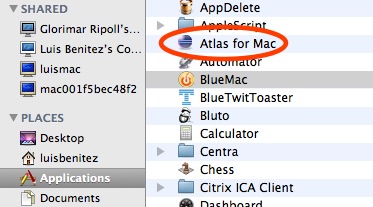
200902192136.jpgAnd then magic happened! 1 hour and 22 minutes after I posted the blog, the answer came to me!!! Karsten Lehmann, one of the developers for MindPlan, kindly posted a comment detailing that he had gone through the same issue. He suggested a couple of things, I responded back and voilá!

Here's how I configured Eclipse to run my SWT Java application for Notes in my Mac OSX Leopard:

  • Under Arguments, added the following VM Argument: -Djava.library.path=/Applications/Notes.app/Contents/MacOS
  • Under JRE I selected Java 1.5.0 (for some reason it wouldn't work with Java 1.6)
  • Under Environment I added 3 environment variables:
    • PATH -> /Applications/Notes.app/Contents/MacOS
    • LD_LIBRARY_PATH -> /Applications/Notes.app/Contents/MacOS
    • DYLD_LIBRARY_PATH -> /Applications/Notes.app/Contents/MacOS

At this point I could get my application running beautifully under Eclipse, but I couldn't run it as a stand-alone application. Time to do some more searching!! After a couple of days, I finally figured it out. First, Eclipse includes a really cool feature that lets you export your Java applications as Mac Bundles.

Next, because of the way Mac works, I had to set the DYLD_LIBRARY_PATH environment variable first, before running my application. Therefore, I had to create the file ~/.profile with the following line:

export DYLD_LIBRARY_PATH=/Applications/Notes.app/Contents/MacOS

And now, IBMers can use Atlas from their Mac computers!

Monday, February 16, 2009

Developing Java Applications for Lotus Notes on the Mac

View Comments

This week I've been working on creating my first Java application for Lotus Notes v8.5 on the Mac. Now you may be asking how this can be my first Java application for Notes on the Mac since I already hacked Lotus Notes to include the Activities sidebar. While that is a Java application, it's not one that I created and second it's really an Eclipse plugin that runs inside of Notes. What I'm trying to do is create a Java application that runs outside of Notes, yet queries Notes for information.

So what am I doing? Well, as a side project, I decided to port the code for Atlas to the Mac. The Atlas client is just a Java SWT application, so how hard could it be?

Deploying SWT applications in the Mac

The first step was to figure out how to actually get an SWT application running on the Mac. The folks at Eclipse have already documented this process and it's pretty straightforward. The key is to put in the SWT libraries for the applicable platform. Therefore, I removed the swt.jar and related DLLs from the Java application and put in the Mac OS X SWT.jar and libraries.


200902132207.jpg

Troubleshooting SWT applications in the Mac

Double-clicking the application, didn't do anything. Time to troubleshoot! I downloaded and installed Eclipse 3.4. Running the application from within the Eclipse environment shed some light on the problem: for some reason the Notes libraries could not be loaded by the Java Virtual Machine (JVM). I posted a question about my problem in the Lotus Notes 8.5 forum and hope someone can provide an answer. Additionally, I've opened a PMR to get official help from IBM.

How It Looks

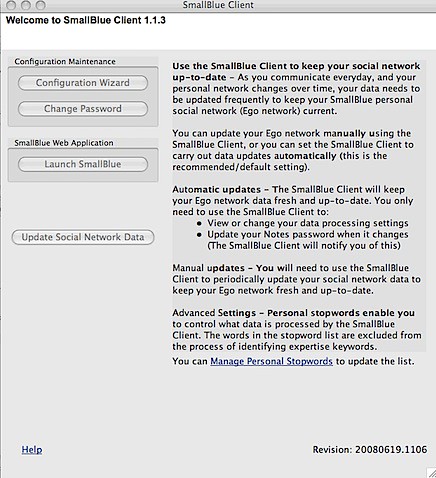
To prove that it was just a Notes issue, I commented out all the code calling the Notes APIs. I recompiled, ran it and saw the following.


200902132221.jpg

So I'm almost there... as soon as I can figure out why I can't call the Notes APIs from my standalone Java application, I should be golden! Isn't Java great ?