This week I've been working on creating my first Java application for Lotus Notes v8.5 on the Mac. Now you may be asking how this can be my first Java application for Notes on the Mac since I already hacked Lotus Notes to include the Activities sidebar. While that is a Java application, it's not one that I created and second it's really an Eclipse plugin that runs inside of Notes. What I'm trying to do is create a Java application that runs outside of Notes, yet queries Notes for information.
So what am I doing? Well, as a side project, I decided to port the code for Atlas to the Mac. The Atlas client is just a Java SWT application, so how hard could it be?
Deploying SWT applications in the Mac
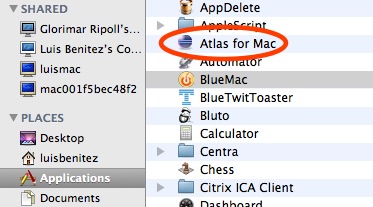
The first step was to figure out how to actually get an SWT application running on the Mac. The folks at Eclipse have already documented this process and it's pretty straightforward. The key is to put in the SWT libraries for the applicable platform. Therefore, I removed the swt.jar and related DLLs from the Java application and put in the Mac OS X SWT.jar and libraries.
Troubleshooting SWT applications in the Mac
Double-clicking the application, didn't do anything. Time to troubleshoot! I downloaded and installed Eclipse 3.4. Running the application from within the Eclipse environment shed some light on the problem: for some reason the Notes libraries could not be loaded by the Java Virtual Machine (JVM). I posted a question about my problem in the Lotus Notes 8.5 forum and hope someone can provide an answer. Additionally, I've opened a PMR to get official help from IBM.
How It Looks
To prove that it was just a Notes issue, I commented out all the code calling the Notes APIs. I recompiled, ran it and saw the following.
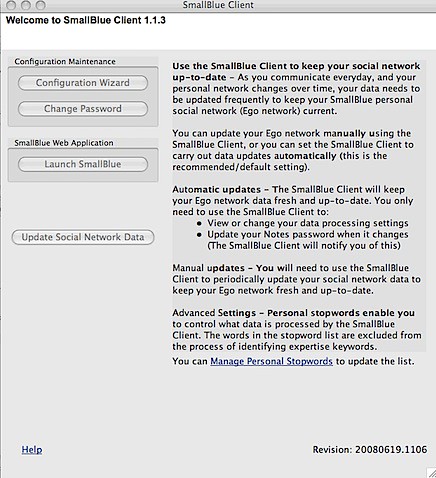
So I'm almost there... as soon as I can figure out why I can't call the Notes APIs from my standalone Java application, I should be golden! Isn't Java great ?
Maybe I can help.
ReplyDeleteWe're the developers of the Notes-based mindmapping application MindPlan (http://www.mindplan.com), which is also available for the Mac. My company Mindoo develops this for our partner company Haus Weilgut.
You need to add
/Applications/Notes.app/Contents/MacOS
to an environment variable "PATH" in the Run Configuration of Eclipse.
And the following file needs to be in the classpath:
/Applications/Notes.app/Contents/MacOS/jvm/lib/ext/Notes.jar
Both paths cannot be entered directly in the Eclipse UI, because of the application bundle "Notes.app", that you cannot traverse in the Eclipse file chooser. You need to enter them manually in the Eclipse configuration files (e.g. .classpath).
Karsten, thanks for this great info! When 8.5 client for Mac came out I must have spent hours trying to get a remote connection in an RCP app to work, and eventually I gave up. This sounds like it is the answer.
ReplyDeleteThanks Luis for asking the question.
Karsten,
ReplyDeleteThanks for the comment!! Here's what I have for my Classpath and PATH definitions, but still doesn't work :(.. Do they like to you ? Is that what you are using for MindPlan?
* Classpath - http://farm4.static.flickr.com/3153/3290072915_b745735b48.jpg?v=0
* Path - http://farm4.static.flickr.com/3333/3290898086_3a15f191a0.jpg?v=0
Hope to hear from you soon !!
You also need to set the environment variable DYLD_LIBRARY_PATH to "/Applications/Notes.app/Contents/MacOS".
ReplyDeleteI had thought it was only related to our own native libraries that work against the Notes C API, but I just looked for it on the web and found this posting:
http://www-10.lotus.com/ldd/notesmacforum.nsf/4b9931b774db788c85256bf0006b5e6d/100d295b4b56d8a1c12573f8000b6df4?OpenDocument
Funny, I had answered this before in the Notes Mac forum one year ago. :-)
Hi Karsten,
ReplyDeleteThat was the key!!!! I can now run the entire application successfully from within Eclipse.
The application works somewhat if I launch it from the Terminal window and doesn't work at all if I launch it from the Finder.
I've requested a trial version of MindMap to see how you packaged your application. I'm sure it's got to be something in the Info.plist file or perhaps in the executable shell script.
Thanks for heads up!!
You can find the Mac version of MindPlan as a DMG image here:
ReplyDeletehttp://www.mindplan.com/mindplan/bulletin/dombulletin.nsf/WebBoardMainActiveCategorized?OpenView&RestrictToCategory=Beta%3A%20MindPlan%20on%20Mac&ExpandSection=3
We add the Notes.jar dynamically to the classpath on application startup, so I dont know if you find everything in the info.plist.